In this blog, we will show you how to enable VCF SSO for VCF Operations for Networks (VRNI).
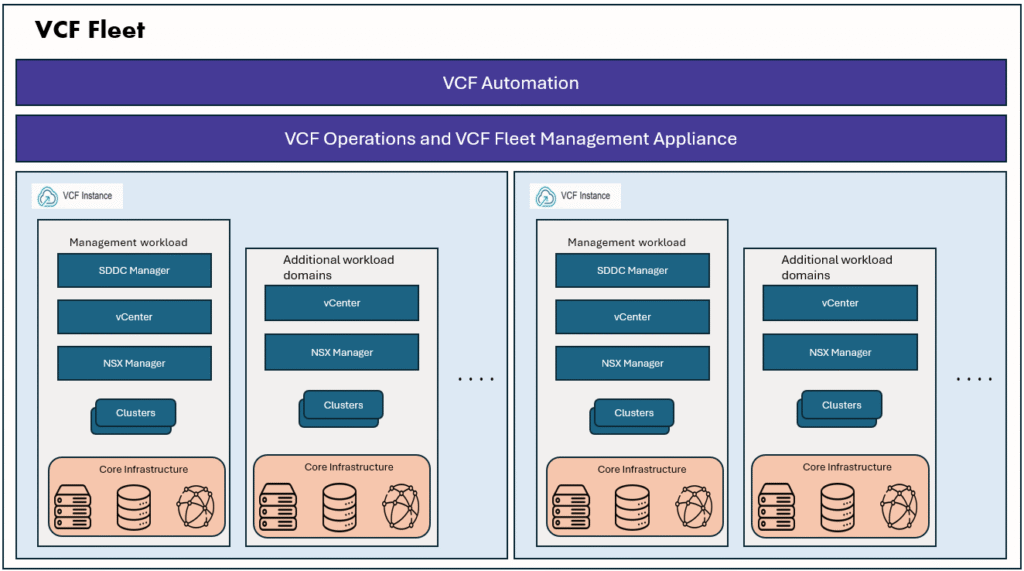
In VCF 9.1, VCF SSO can be configured with an external identity provider (AD/LDAP/Ping Identity etc) and used to access components such as vCenter, NSX Manager, VCF Automation, and VCF Operations. However, for Day 2 components like VCF Operations for Networks, a few additional configuration steps are required.
VCF SSO acts as the identity provider for these Day 2 components. To enable authentication, you first need to create an OIDC client in VCF SSO and then configure VRNI to use it.
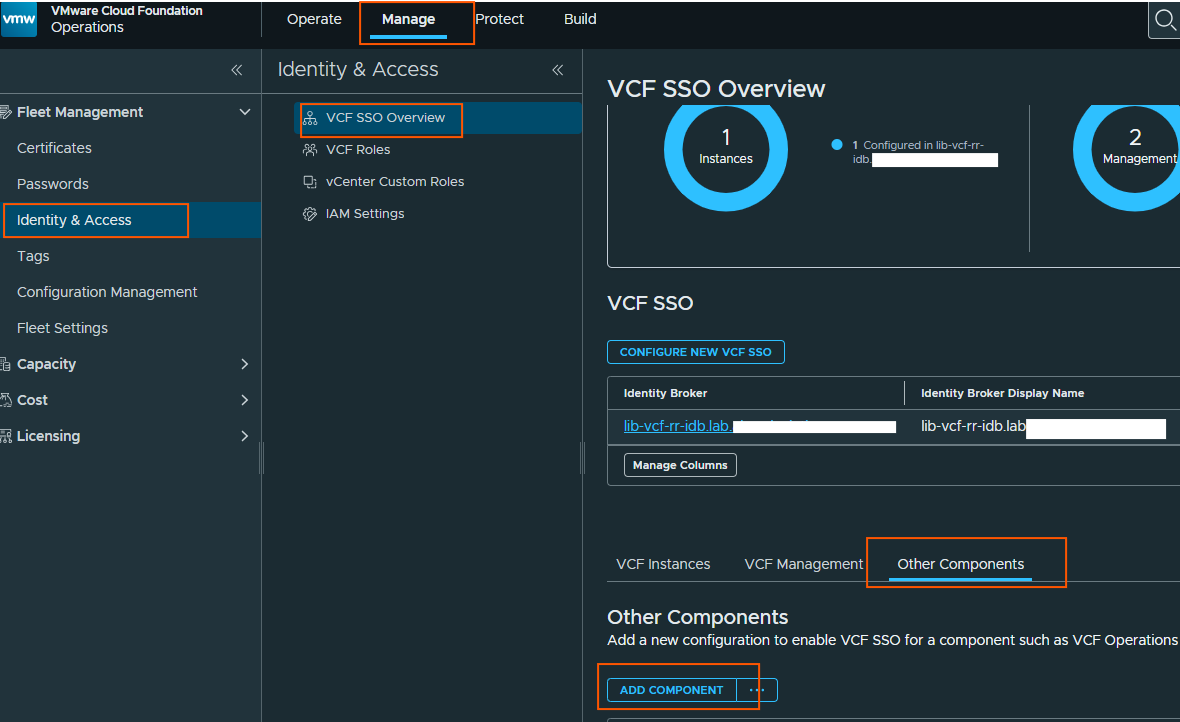
Go to Manage –> Identity & Access –> VCF SSO overview –> Other components –> Add component
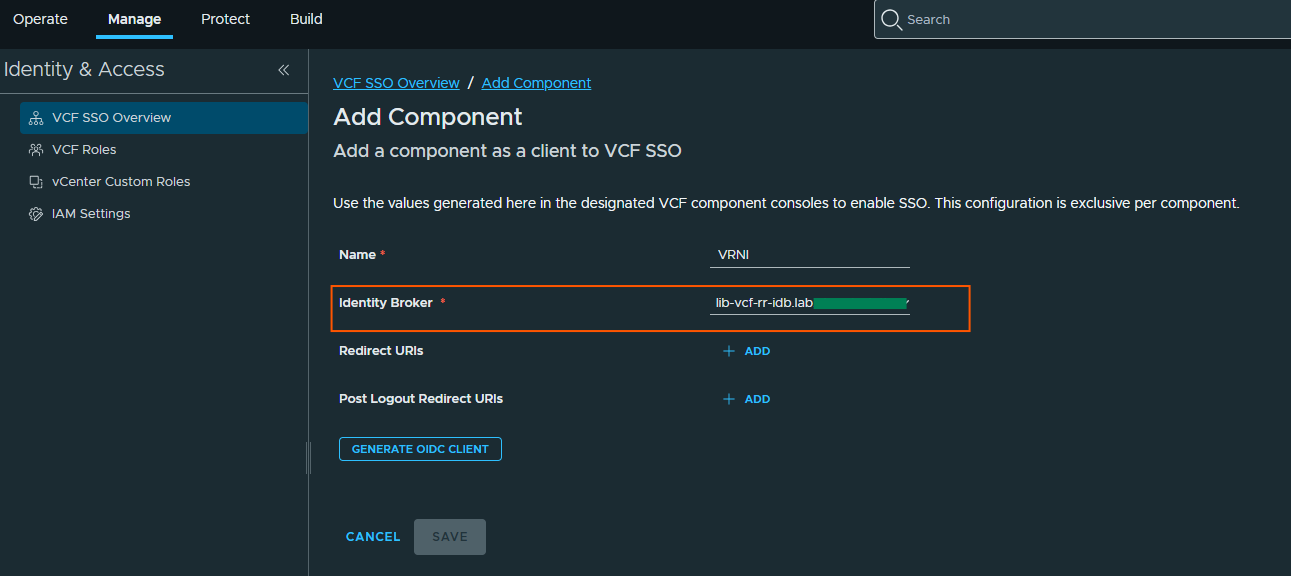
select your instance of identity provider and fill in the details. Redirect URI is optional. Then click on Generate OIDC client.
Then you will get the below details
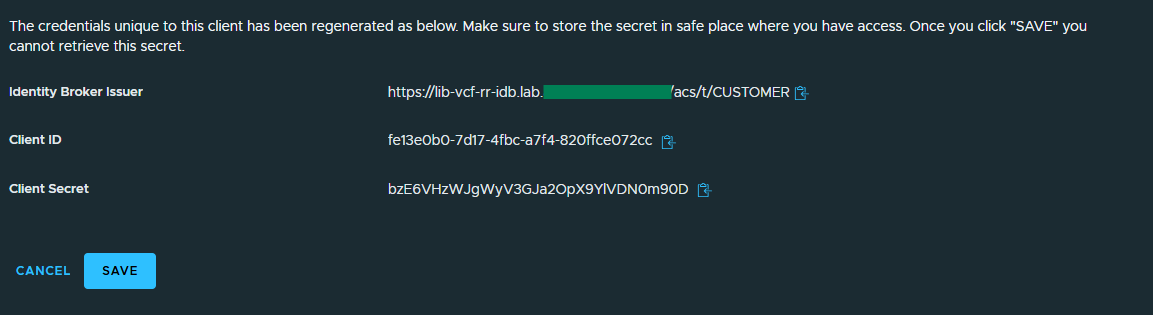
Next, we will need to login to VRNI GUI to configure the VCF SSO using the above details.
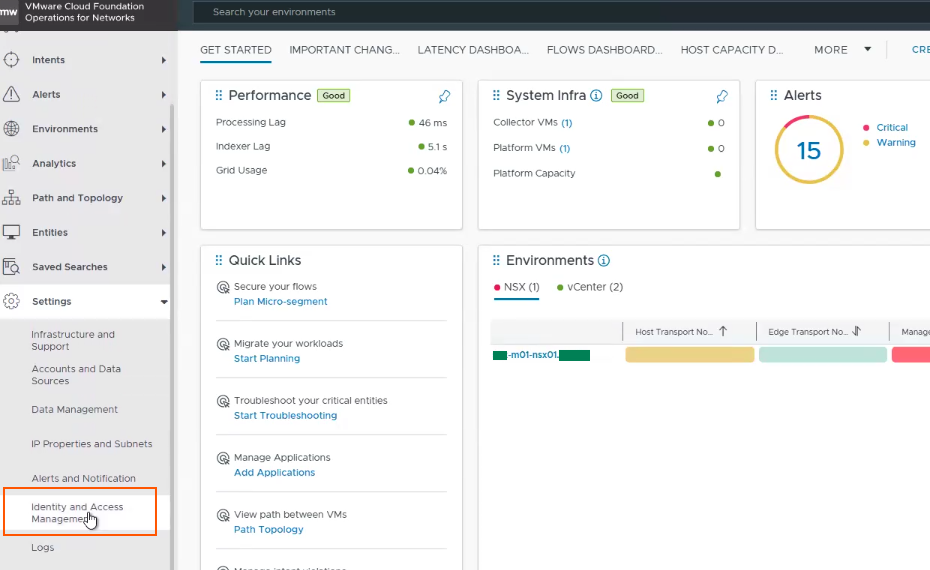
In VRNI GUI, go to settings –> Identity and access management
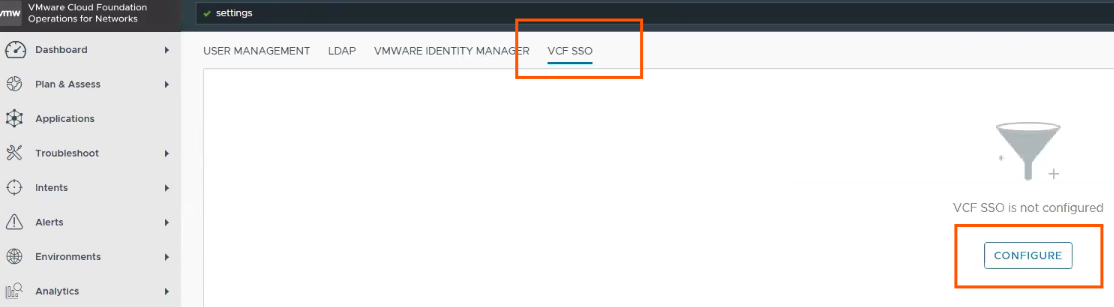
Next we will need to select VCF SSO tab, click configure.
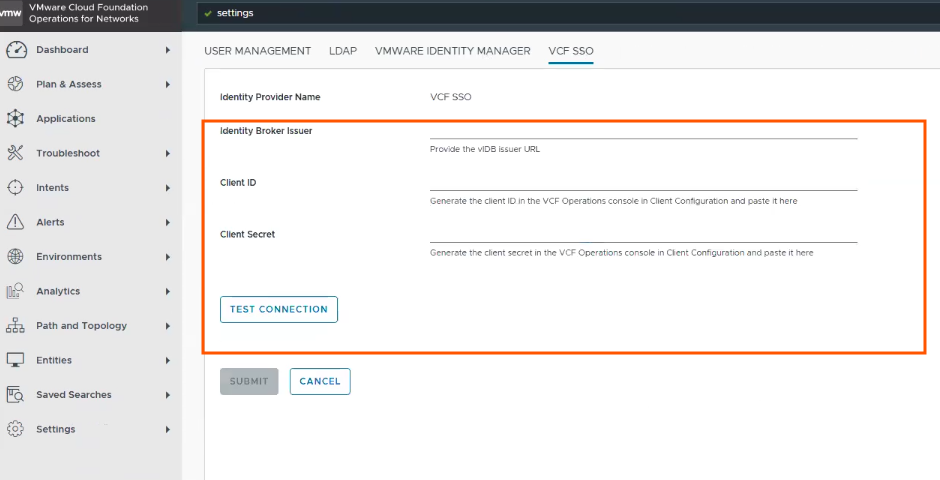
Next, fill in the below details which we get from Generated OIDC client configuration from VCF Operations console GUI, then TEST connection.
Once connection successful, it is configured with VCF SSO.
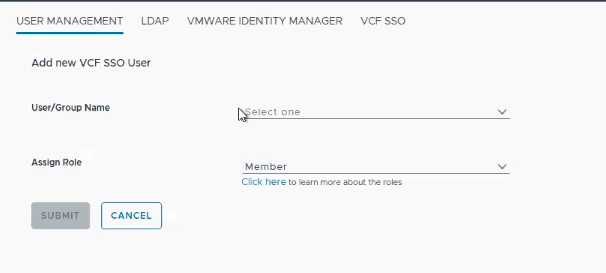
Next, we need to some users and assign VRNI admin/viewer roles to test the login with VCF SSO.
Go to Identity and Access management in VRNI GUI, go to User manaement tab.

Next chose your user/group assign required role to that user/group.
That’s it for today’s blog, thank you for reading.