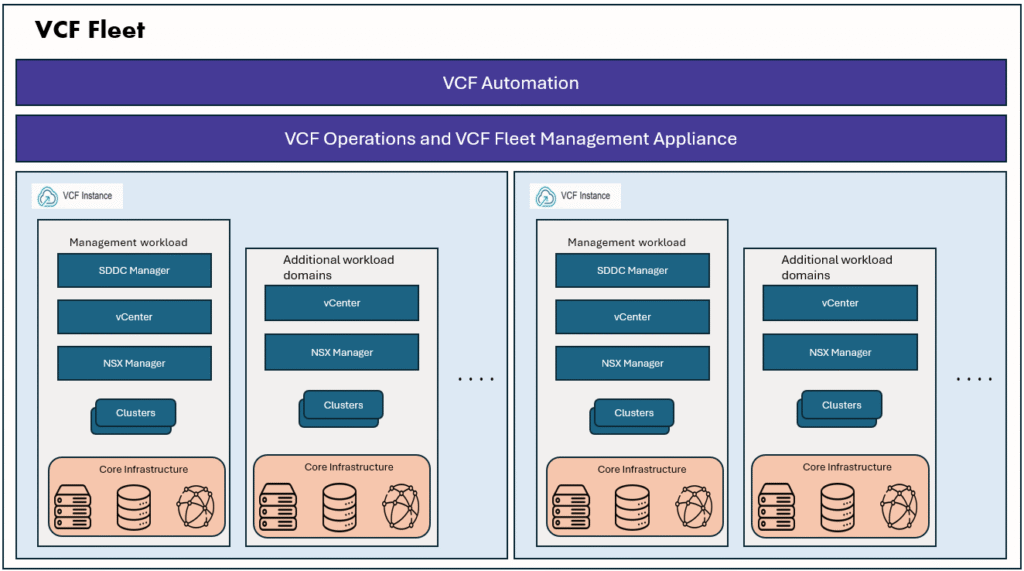
VCF 9.1 introduces a modern, centralized Role-Based Access Control (RBAC) framework, managed directly through VCF Operations.
Instead of configuring roles and permissions independently on individual infrastructure components such as vCenter, NSX, and VCF Operations, administrators can now use a single, unified interface to manage authorization consistently across the entire VCF platform.
In this blog, we’ll explore the built-in roles available in VCF 9.1, discuss how custom roles can be created, and understand how they simplify centralized access management across VMware Cloud Foundation environments.
After we configure VCF SSO with an external Identity provider, we can create and assign the roles to users and groups as per your requirements.
Built-in VCF roles
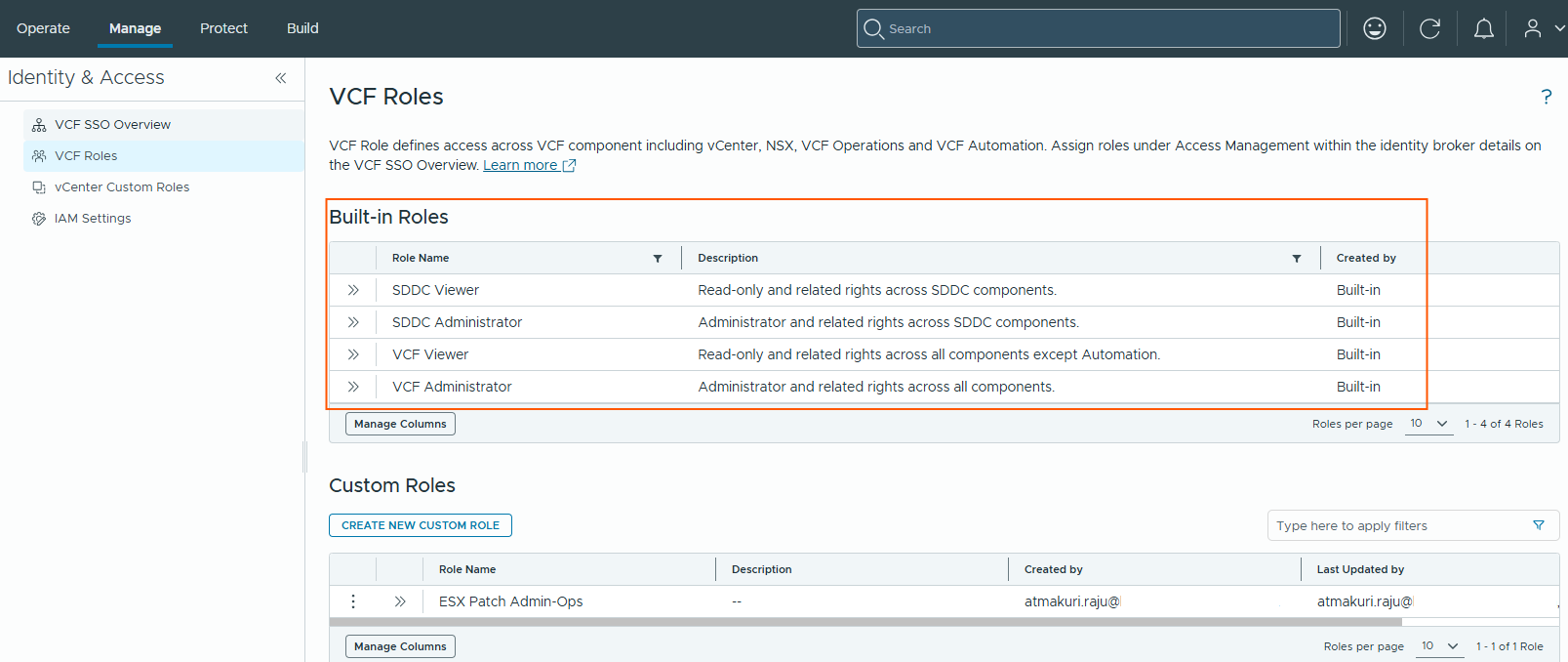
To get started with Role-Based Access Control (RBAC), VCF 9.1 provides four built-in roles through VCF Operations. These predefined roles are designed to address the most common administrative and read-only access requirements across the VMware Cloud Foundation platform. These roles cannot be edited by users.
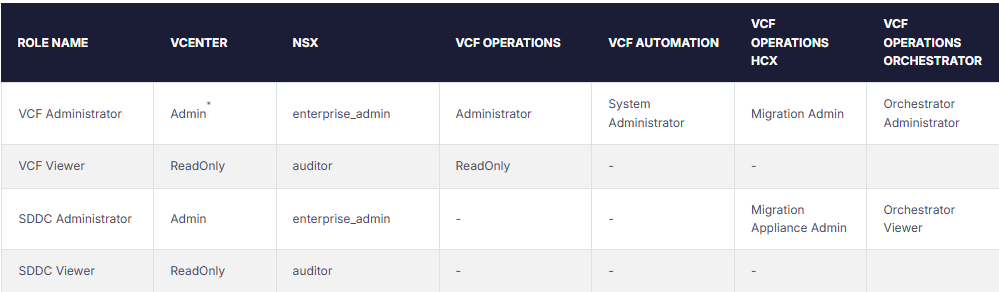
Each built-in VCF role is a collection of predefined roles from the underlying VCF components, as shown in the table below.
SDDC roles will have access to only vCenter and NSX components.
Custom VCF roles
If you want to configure a role with more granular access control to meet your organization security and access requirements, Administrators can create custom VCF roles.
Custom VCF roles are created and managed from VCF Operations by combining roles from one or more VMware Cloud Foundation components as shown below.
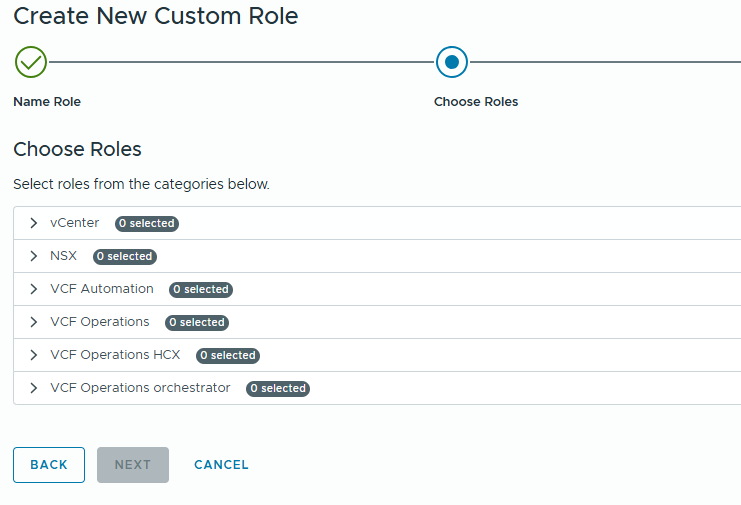
For example, a custom VCF role can provide Read-Only access to vCenter while granting Administrator privileges in VCF Operations, or any other combination of component-level roles. During role creation, VCF Operations displays all available built-in and custom roles for each supported component, allowing administrators to select the appropriate permissions and build a custom VCF role that aligns with their organization’s access requirements.
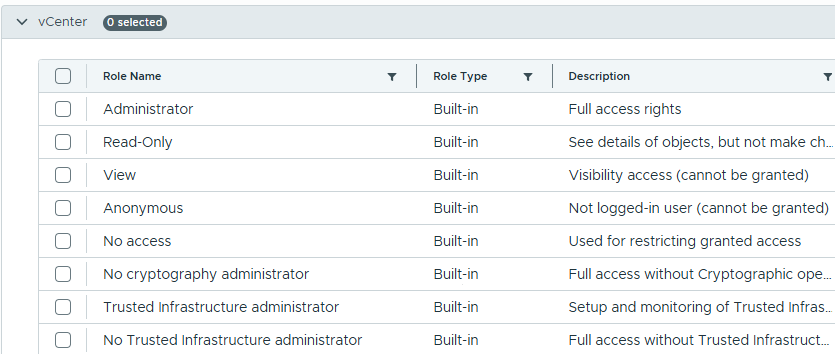
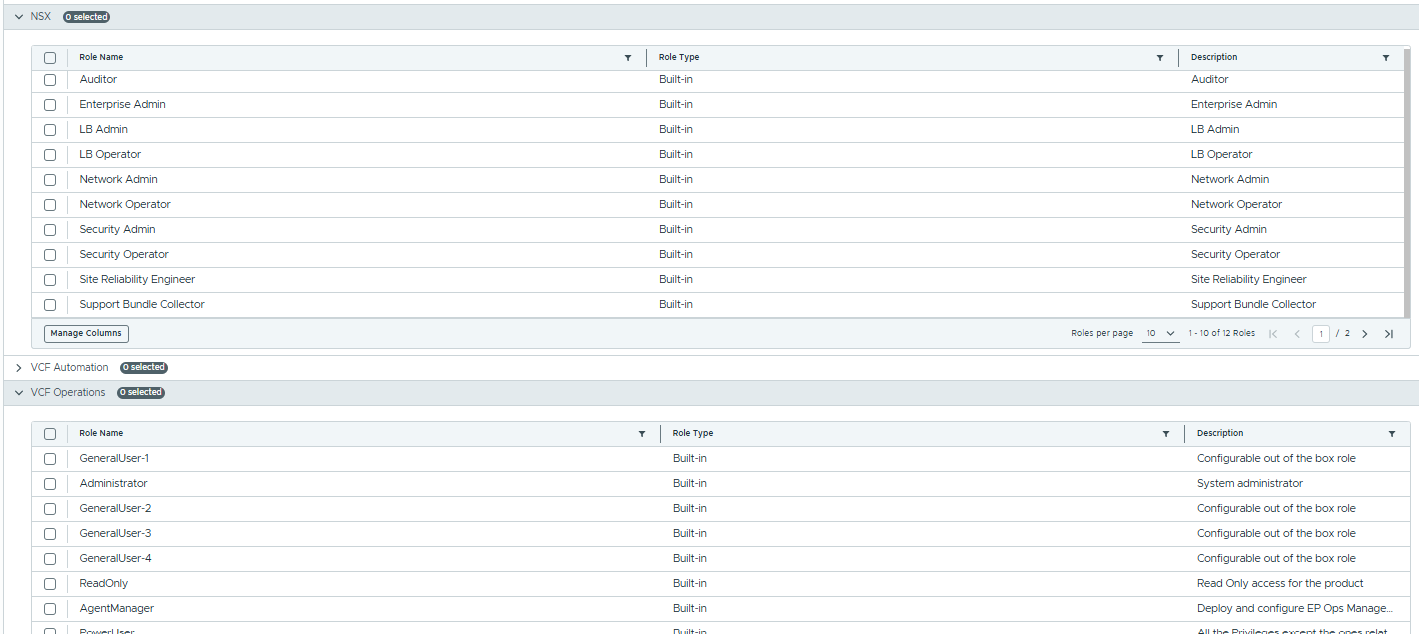
Custom vCenter roles
VCF 9.1 also introduced vCenter custom roles, many vSphere administrators have some custom roles that are defined at one vCenter and get replicated to other vCenters which are part of same ELM (Enhanced Linked mode) group. In VCF 9.1 ELM is deprecated and replaced by vCenter linked groups. If there are any custom roles created in one vCenter, we can import the roles from vCenter to VCF ops, and that role can be synced to all vCenters in vCenter linked group.
I have a custom role called “ESX Patch Admin” created in management domain vCenter that I want to import to VCF operations.
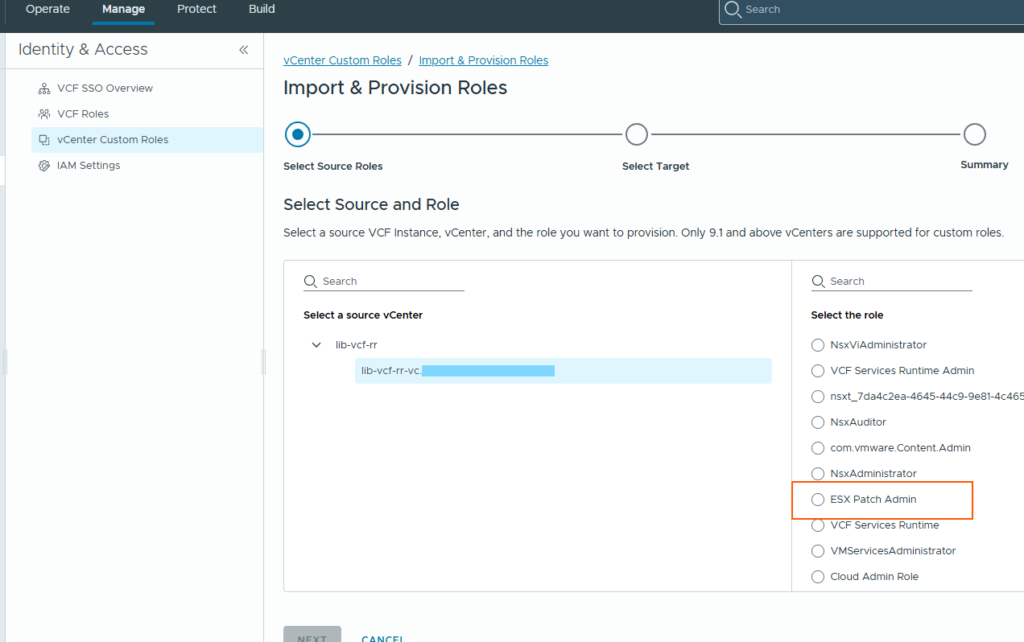
Once imported I can use these custom vCenter role to create custom VCF roles.
I have created a VCF custom role “ESX Path Admin-Ops” using this vCenter custom role “ESX Path Admin”, and VCF ops custom role “ESX Patch admin role-ops”.
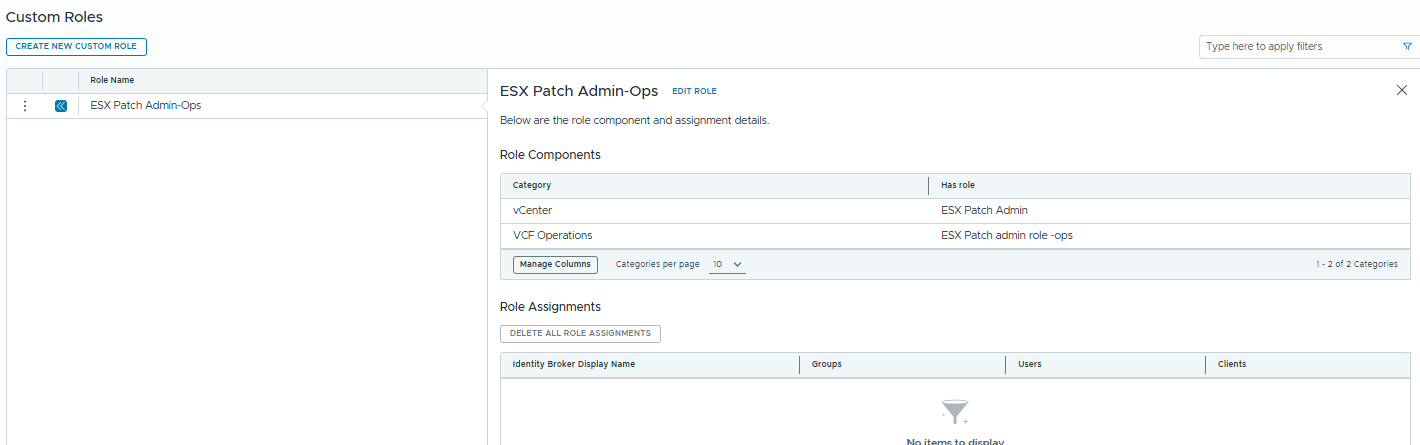
Role Assignment
Once we have created the roles, we can assign these custom roles or built-in roles to users and groups.
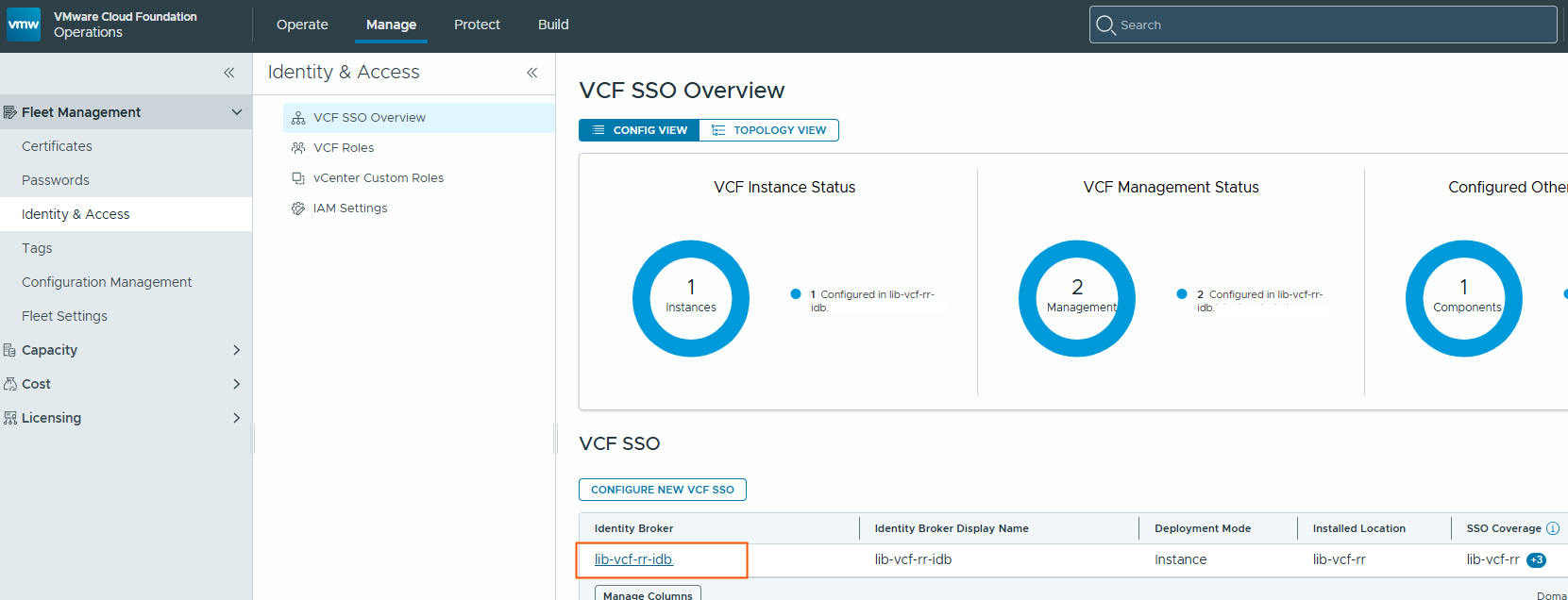
Go to the VCF SSO Overview page and click Identity broker link
Go to Access Management page to assign roles to Users or groups.
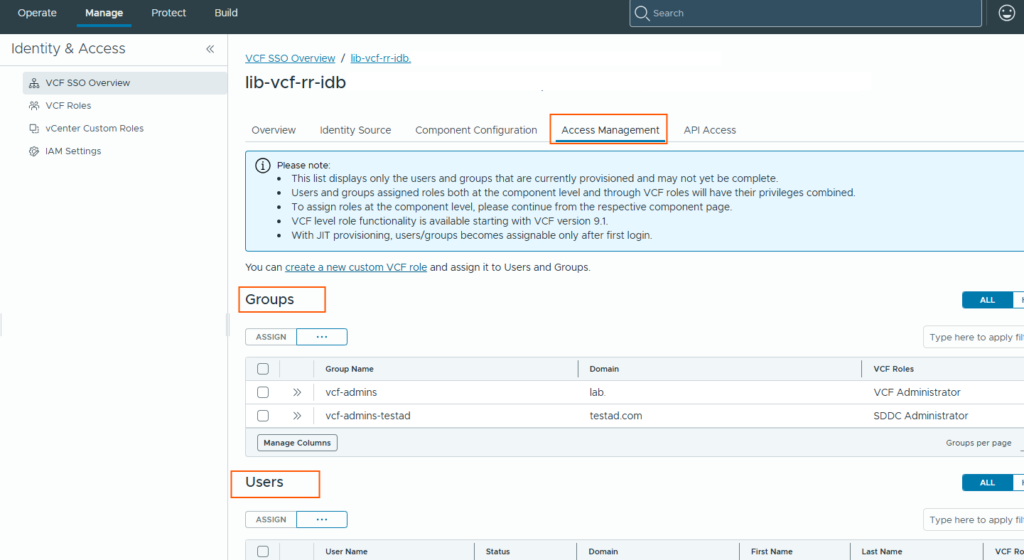
Select a user or group, click on Assign button to assign role. For example, here I selected user “atmakuri.raju”, now I need to define the scope, role, Valid Until fields to complete the role assignment.
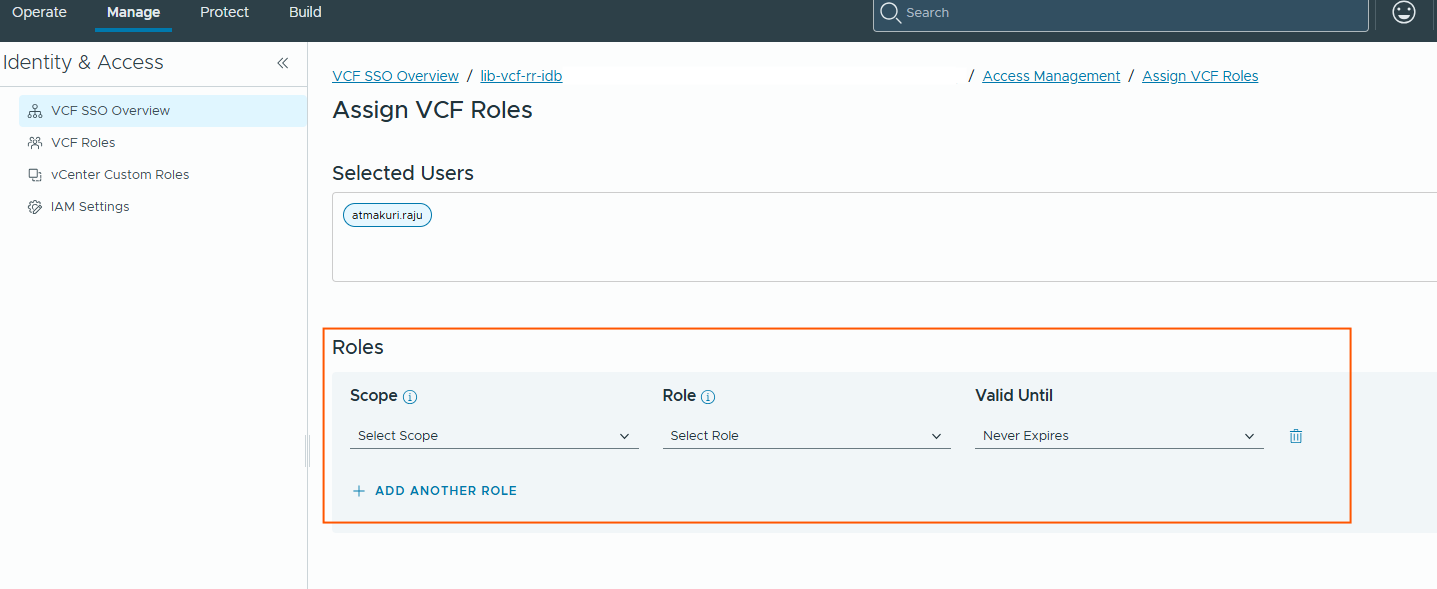
Scope – Assign the role either across all VCF components managed by the Identity Broker or limit it to one or more VCF Instances. When scoped to specific VCF Instances, the role assignment applies only to the vCenter and NSX components that belong to those instances. An additional benefit of assigning the role at the All Components scope is that users automatically receive the same permissions for any new vCenter or NSX instances added in the future.
Role – Select the built-in or custom VCF role to assign. If the scope is limited to specific VCF Instances, only roles that include vCenter or NSX component permissions are available for selection.
Valid Until – Configure the duration of the role assignment. You can choose Never Expires for permanent access or specify a custom expiration date (UTC) to provide temporary, time-bound access. This is useful for contractors, temporary administrators, or maintenance activities where access should be automatically revoked after a defined period.
API clients and Tokens
VCF 9.1 introduces API Clients and API Tokens for secure API authentication. Instead of storing user credentials in automation scripts, administrators can create an API Client, assign it the required VCF role, and generate an API Token for secure programmatic access to VMware Cloud Foundation.
An API Client represents a non-human identity that can authenticate to the VMware Cloud Foundation platform. It is created in VCF Operations and assigned one or more VCF roles, just like a regular user or group. This ensures that automation tools and applications follow the same Role-Based Access Control (RBAC) model used throughout the platform. After an API Client is created, administrators can generate one or more API Tokens for that client. The API token acts as a long-lived credential that is securely stored by the automation application.
That’s it for this blog. I hope you now have a better understanding of VCF roles, custom roles, role assignments, and API clients in VMware Cloud Foundation 9.1. Thank you for reading!