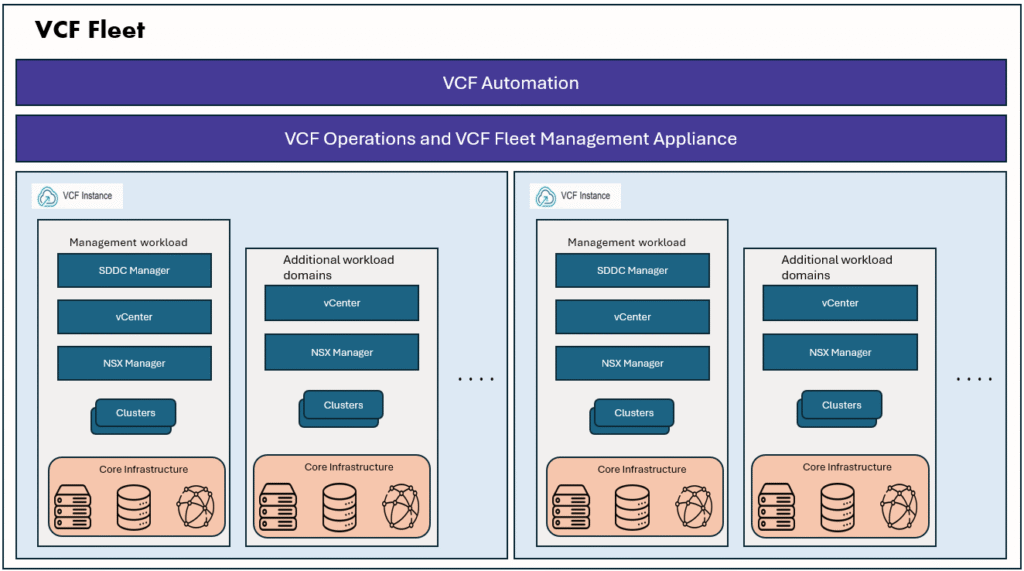
In this blog, we will look at two new features that are introduced in VCF9.
- vCenter Configuration templates
- Cluster Configuration profiles
Creating vCenter configuration templates
A configuration template refers to a standardized set of configurations representing the desired state of a software system or application. Configuration template enables administrators to define and enforce a specific configuration for vCenter instances.
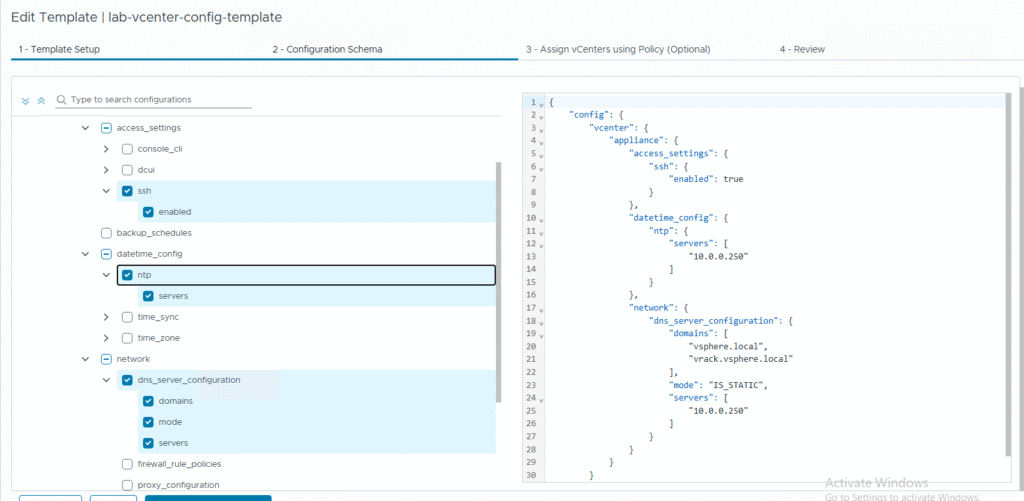
The desired state can be defined as a configuration template or JavaScript Object Notation (JSON) based file that contains settings for vCenter instances, such as network configuration, storage, security, advanced settings, and performance among others.
We can configure a configuration template from VCF Operations console.
Login as Admin user in VCF Operations console, go to Fleet Management, then select Configuration Drift tab.
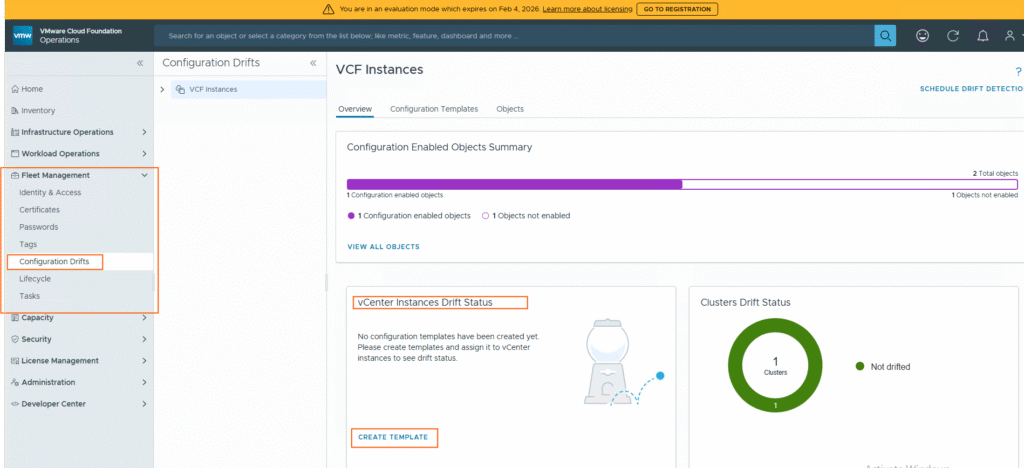
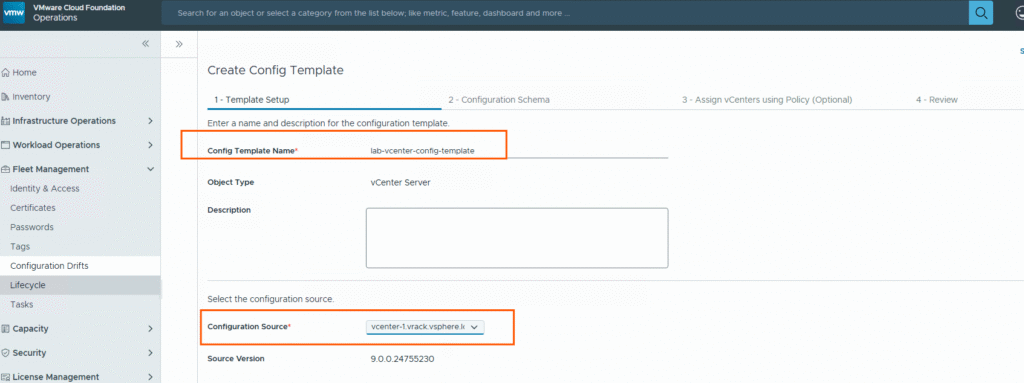
For creating a configuration template, we need to select a source vCenter from which we chose the required configuration to be added in the template. On the first vCenter instance configure the required settings like Networking, Backup settings etc, then we can create a template, and apply the template to multiple vCenters to monitor the configuration drift.
In this way we can ensure that standardized settings are applied across all vCenters, and incase a specific configuration is changed on a vCenter, configuration drift will detect the change and report it as drift detected. Then Admin can remediate it.
Let’s create a simple template and make some changes on vCenter to see how it works. Please be noted in this lab, I have only one vCenter.

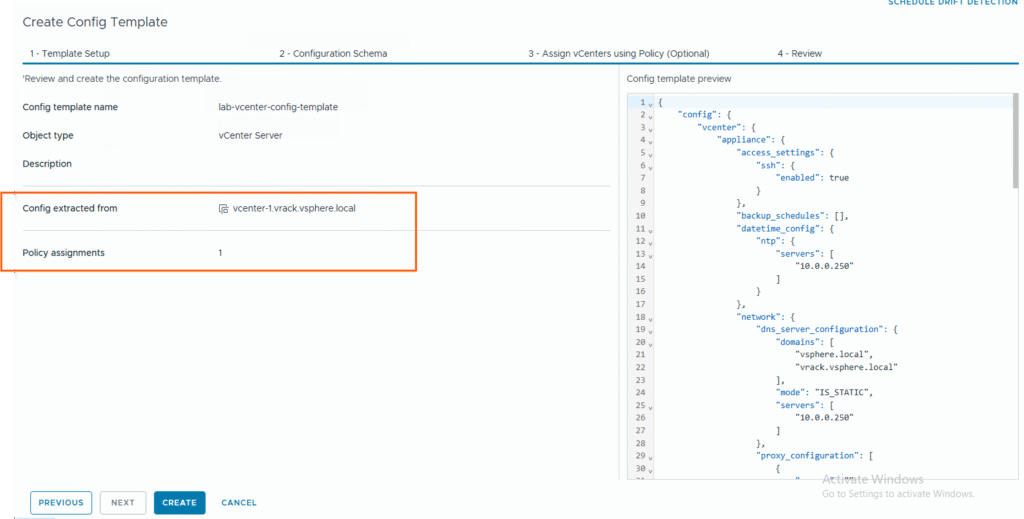
Creating Cluster configuration Profiles
With vSphere Configuration Profiles, you can manage the configuration of all hosts in a cluster collectively. You set up a desired configuration that you can apply to all hosts in a single operation. You can also use a reference host and make its configuration the desired configuration for an entire cluster.
Using vSphere Configuration Profiles ensures consistency in host configuration. vSphere Configuration Profiles uses a declarative model to manage host configuration at a cluster level. With vSphere Configuration Profiles, you can perform the following tasks:
- Set a desired host configuration at a cluster level. The configuration is created and managed in the form of a JSON file. You can edit the desired cluster configuration settings in the vSphere Client.
- Check the host compliance against the configuration for the cluster.
- Remediate the cluster to make non-compliant hosts compliant with the configuration set at the cluster level.
In this blog I didn’t include the screenshots of enabling cluster configuration drift, but you can refer the steps in this documentation.
After you configure the vCenter config template and configuration profiles for the clusters, we can see both configuration template and Cluster configuration both are showing enabled.
Monitoring the vCenter configuration drift:
Immediately after creating the configuration template for the vCenter, it may show like below, vCenter drift status as unavailable.
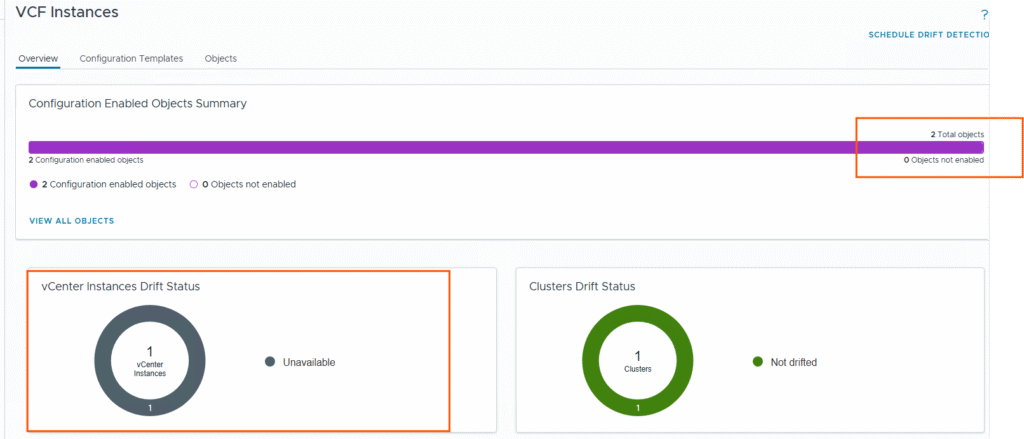
I have a scheduled a drift detection one time job and ran the job, once the job completed, I am able to see the drift status correctly.
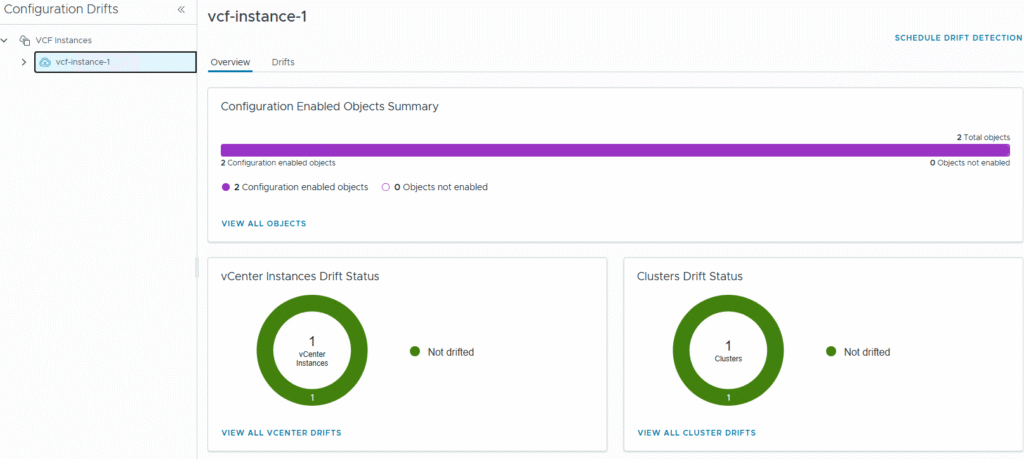
As you can see there is no drift detected in vCenter configuration or in vSphere cluster configuration.
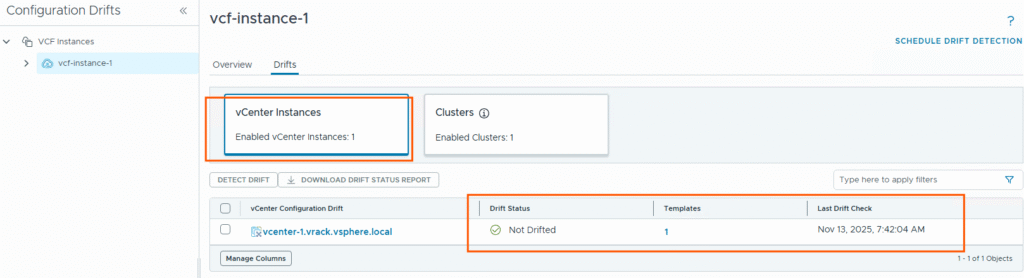
Let’s make some changes in vCenter NTP and DNS and see how it is detecting the drift.
I went to VAMI page and deactivate the SSH login. Then I ran a manual drift detection job. It has detected the drift.
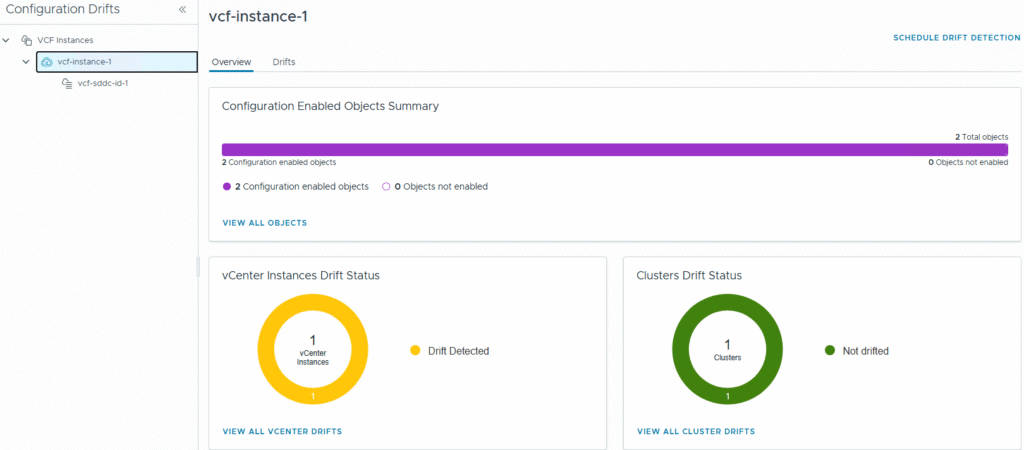
Click view all vCenter drifts and see the details and click on the vCenter to see the details.
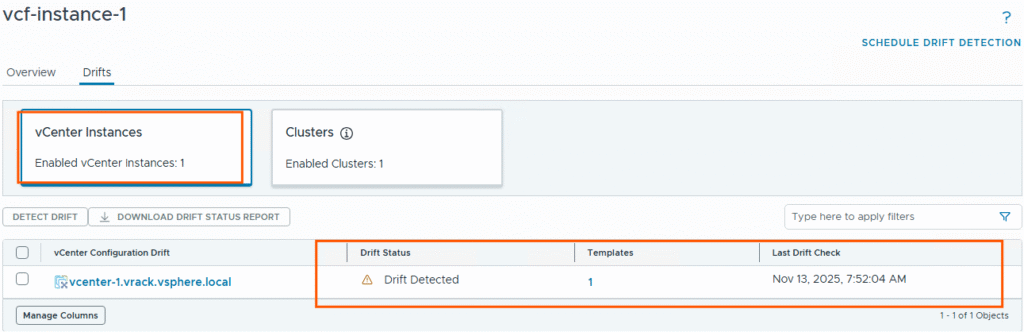
We can see the drift detected in SSH settings.
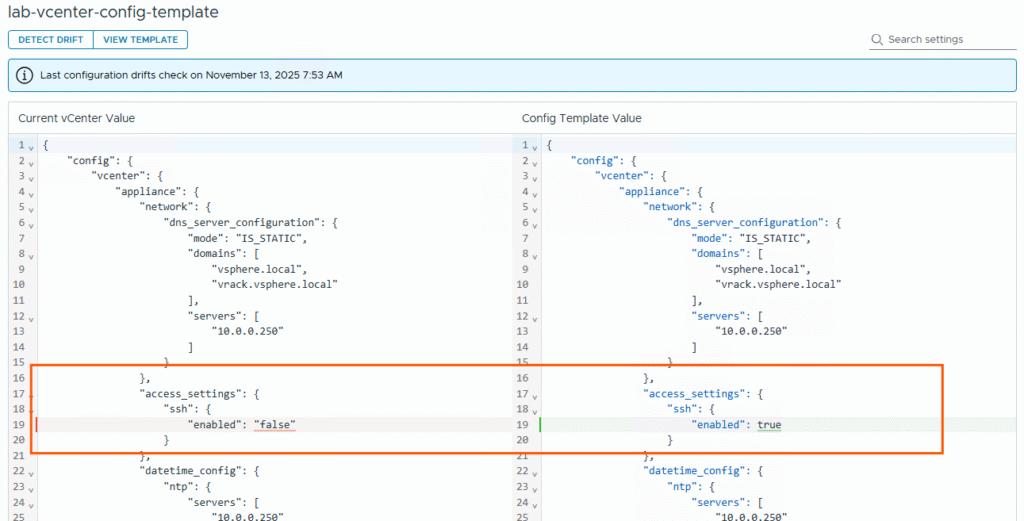
This is how you can find the drift in the vCenter configuration; you can apply the template to all vCenters in your VCF fleet and monitor the drift status and take required actions.
Monitoring the Cluster configuration drift
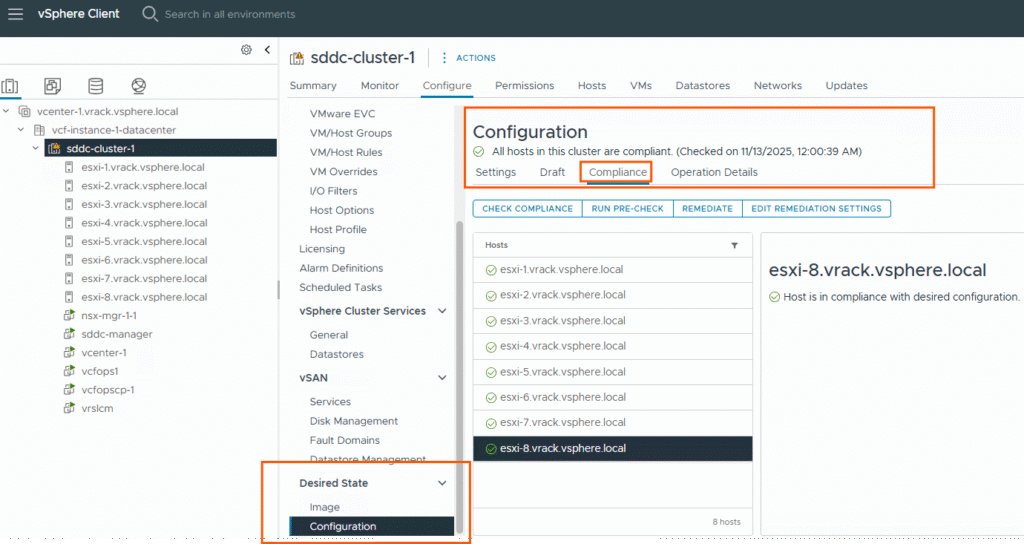
Let’s view the cluster configuration drifts. Currently there is no drift detected.
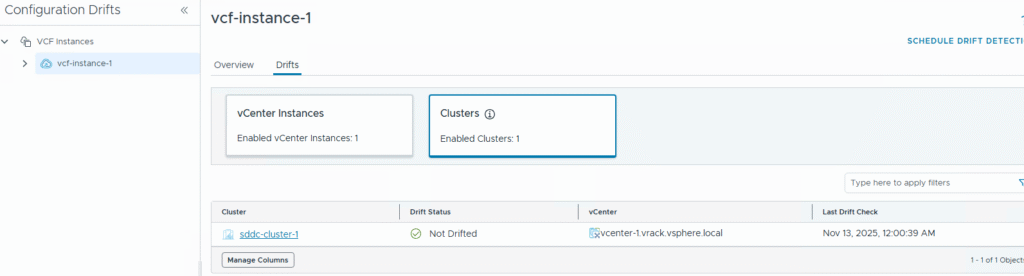
Click on the cluster and see the configuration. Here we created a configuration profile for this cluster by referencing a host (host2).
Now let’s change some configuration on other host and see the drift.
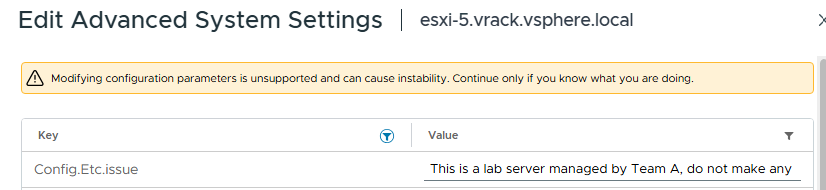
I changed few advanced settings on host5 as below:

After changing few settings on host5, we can run a compliance check from vSphere client or run a drift detection job from VCF Operations console.
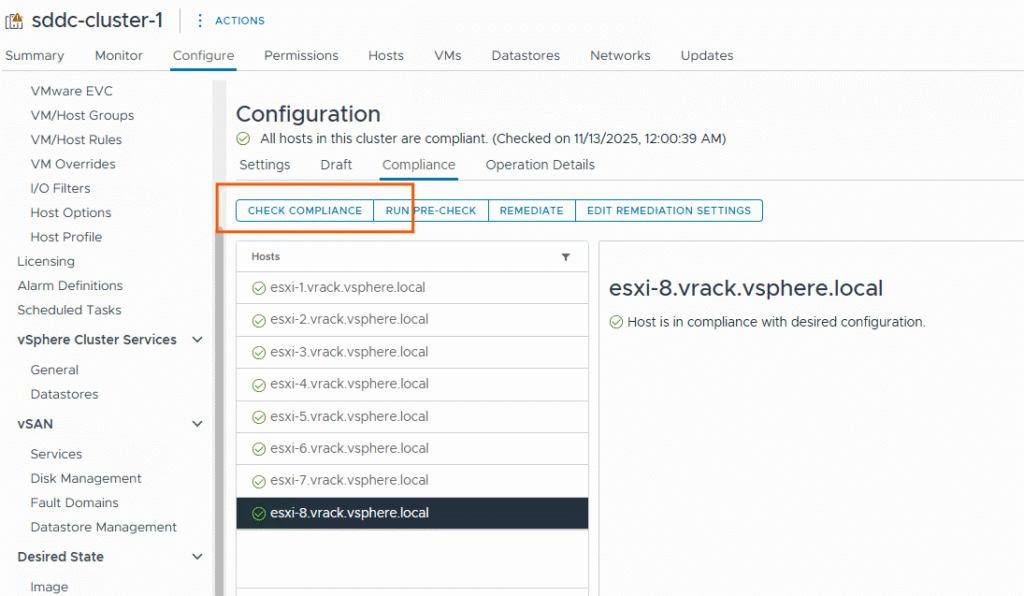
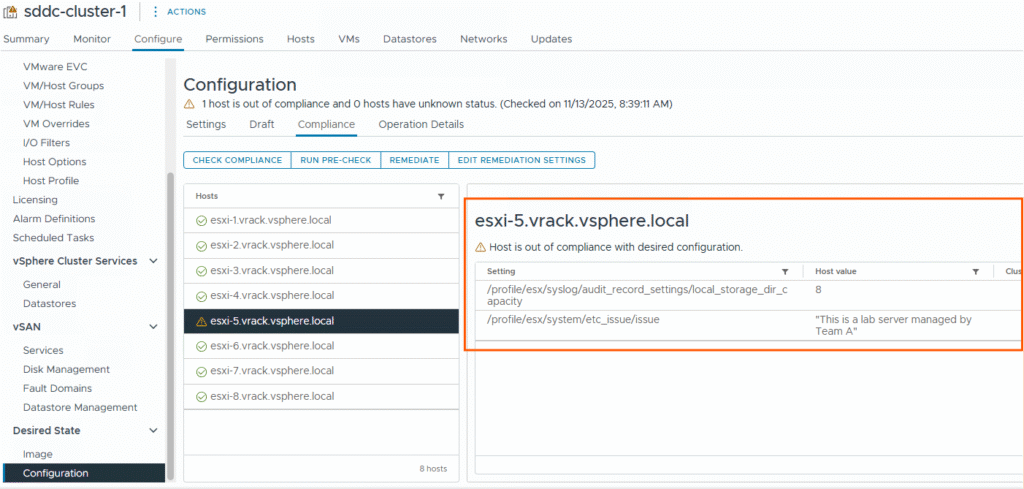
Unlike vCenter configuration drifts, here we have option of remediate.
You can do directly remediate or run a precheck and then remediate later. Then it will update the settings based on the configuration profile settings to make host5 compliant with the configuration profile.
| Key Aspect | Configuration Template (VCF Operations) | Cluster Configuration Drift (vSphere Cluster/Host) |
|---|---|---|
| Primary purpose | Define a desired state template for vCenter or other target systems (a standard set of configuration settings you want applied and maintained) | Detect when a host or cluster deviates from its desired state (i.e., configuration profile) |
| Origin of the “baseline” | Administrator creates a configuration template (template value) that represents what the system should look like. | A baseline/profile is defined at cluster or host-level (for example via Configuration Profiles) and the system monitors actual configuration vs that settings in the profile. |
| Monitoring mechanism | The template is applied/assigned and then drift detection can compare “current value” vs “template value” (e.g., in VCF9 Operations you click schedule Detect Drift). | vSphere has Compliance checks (hosts/clusters become COMPLIANT or NON_COMPLIANT) via vSphere Configuration Profiles, and alarms can be generated when drift is detected. |
| Scope / Target | Applies to vCenter instance(s) or other systems monitored by Aria Operations; template defines desired configuration of that system. (VMware Blogs) | Applies at host or cluster level within vSphere environment; deals with ESXi hosts and clusters. (Broadcom TechDocs) |
That’s it for today’s blog. Thank you for reading.