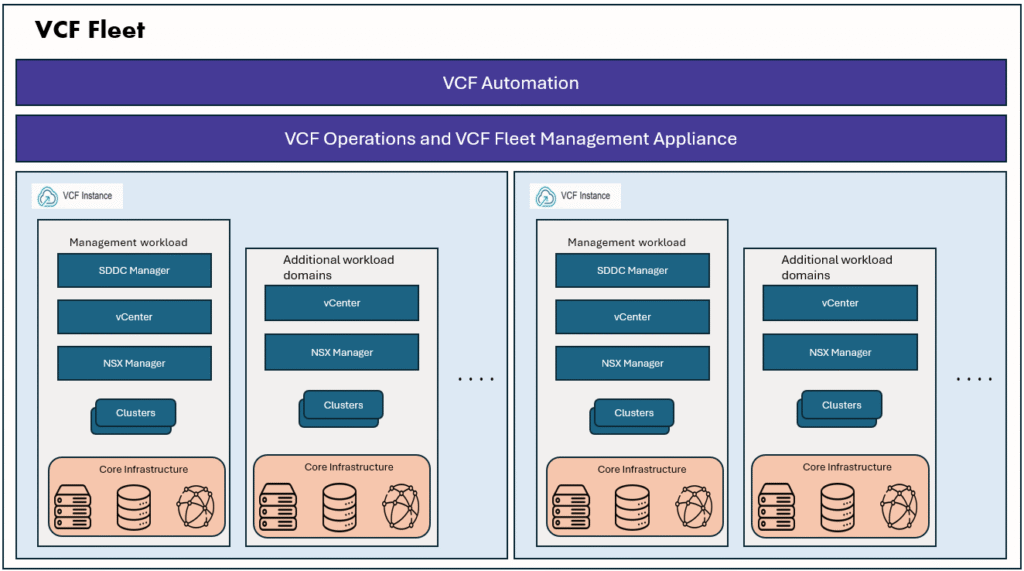
In VCF9 Automation, there are two types of Organizations.
- VM Apps Organization
- All Apps Organization
VM Apps Organization provides similar experience as with VMware Aria Automation 8.x, It is primarily used for VM deployments. It is now considered as legacy. Use VM Apps for existing workflows transitioning from Aria Automation 8.x, or if you do not have vSphere Supervisor Services enabled.
All Apps Organization is modern, and it is considered as future as per Broadcom. Use All Apps for modernizing infrastructure, using Kubernetes, or when deploying new, greenfield VMware Cloud Foundation 9 environments. To start working with All Apps organization and to get the end-to-end self service capabilities, we need to enable supervisor services on the workload domain. For VM Apps Organization, supervisor services are not required.
In VCF9 Automation GUI, we can only create one VM Apps organization, if we want to create additional VM Apps organizations, we can create using APIs, there is a blog on this, please refer it here.
One more important thing we need to remember is that vCenter/NSX cloud account sharing between VM Apps Organization and All Apps Organization.
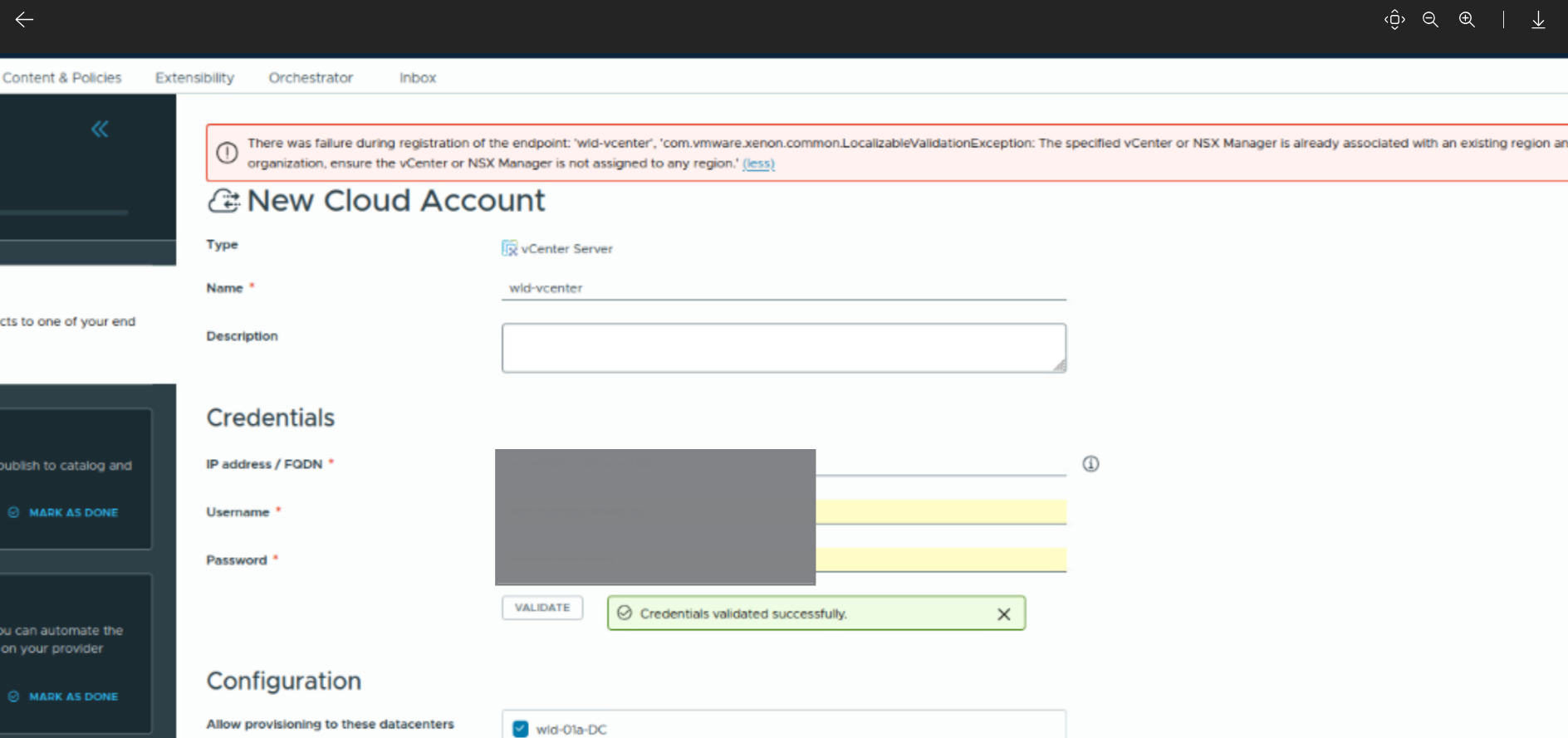
We need to keep the below points in mind when choosing between All Apps Organization and VM Apps Organization.
In VM Apps organization, use a vCenter endpoint that is not used by any All Apps organization or if the All Apps organization is not required, it can be deleted by following the documentation Delete a VCF Automation Organization.
When creating a new organization, consider the following key points:
- Multiple Organization for All Apps can share the same vCenter and NSX Managers. Each Organization will get their resource allotment through the Region Quota.
- Organization for All Apps and Organization for VM Apps cannot share the same vCenter or NSX Manager.
- Two VM Apps Organization cannot share the same vCenter or NSX Manager.
There is a Broadcom KB explaining this, please check it here Unable to add a cloud account on VCF Automation for VM Apps org.
If both All apps organization and VM Apps organization are required, then we can do below:
- Dedicate a separate workload domain for each type of Organization. 1 or 2 Workload domains for All Apps, and 1 other workload domain for VM Apps organization.
- If we have few/limited workload domains, and cannot separately dedicate the workload domains for each type of organization, we can create a new VCFA automation instance (non-integrated VCFA instance from VCF Operations –> Fleet Management –> LifeCycle –> components –> Add component – Select Automation)