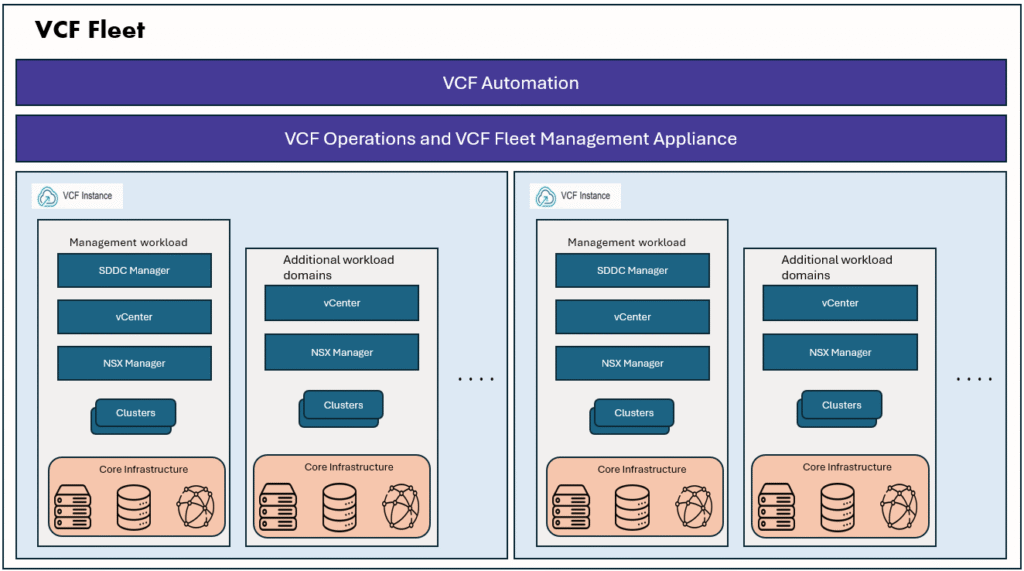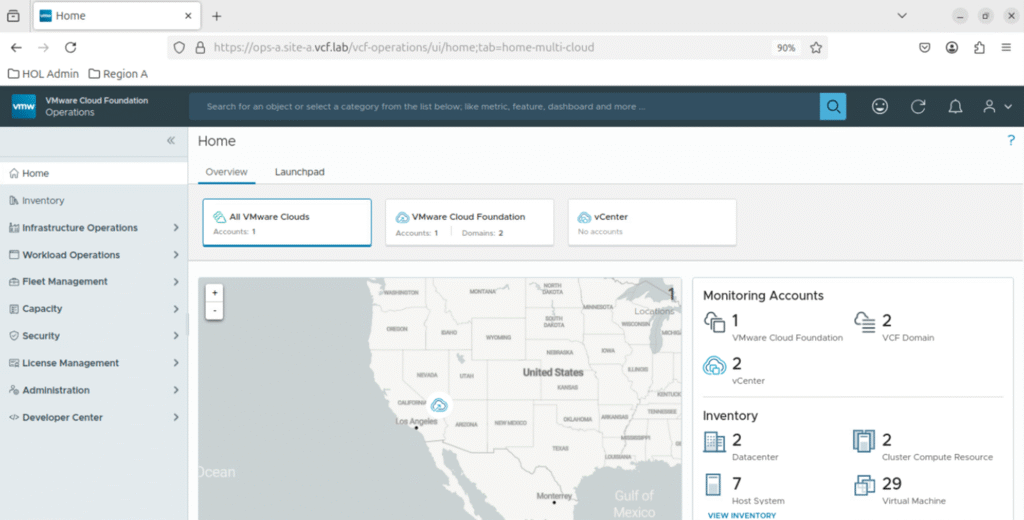
If you already run a vSphere environment, you may be evaluating the available paths to converge and upgrade your existing infrastructure into VMware Cloud Foundation (VCF) 9.0—Broadcom’s fully integrated private cloud platform.
The upgrade path depends on the current footprint of your vSphere deployment and the VMware Aria components in use. Below are the common convergence scenarios:
- Converge vCenter Server and ESXi Hosts
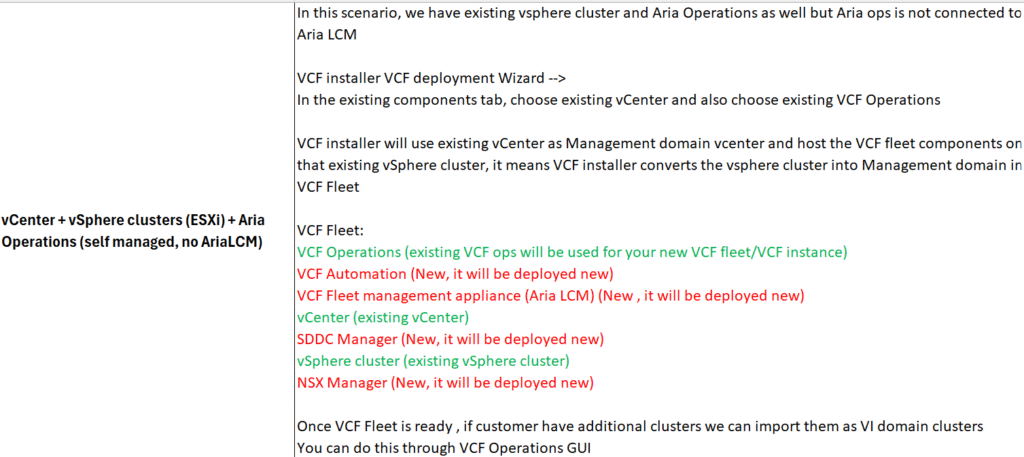
- Converge vCenter Server, ESXi Hosts, and VMware Aria Operations
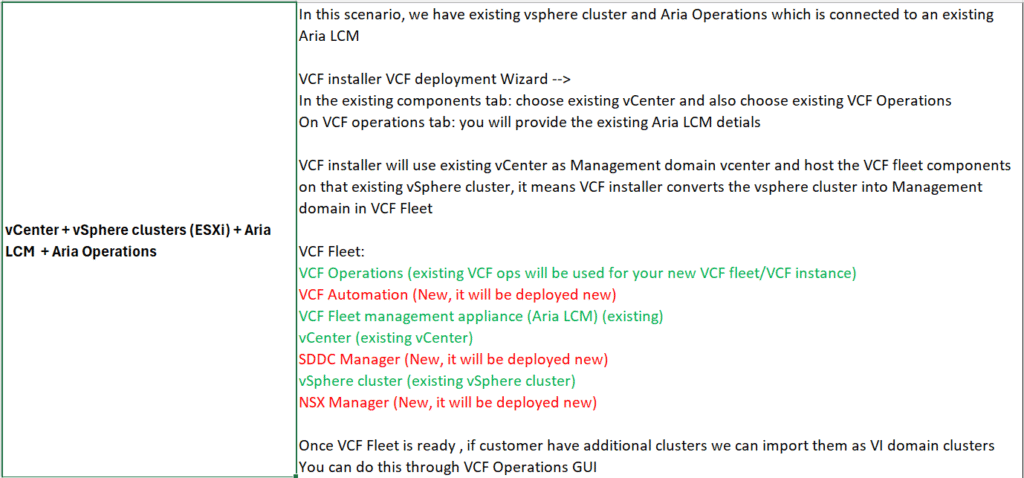
- Converge vCenter Server, ESXi Hosts, VMware Aria Suite Lifecycle, and VMware Aria Operations
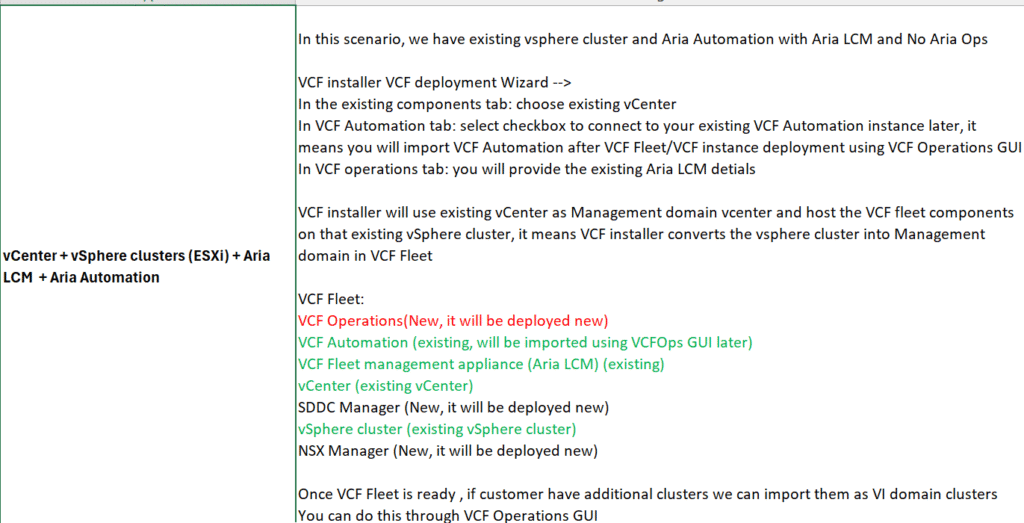
- Converge vCenter Server, ESXi Hosts, VMware Aria Suite Lifecycle, and VMware Aria Automation
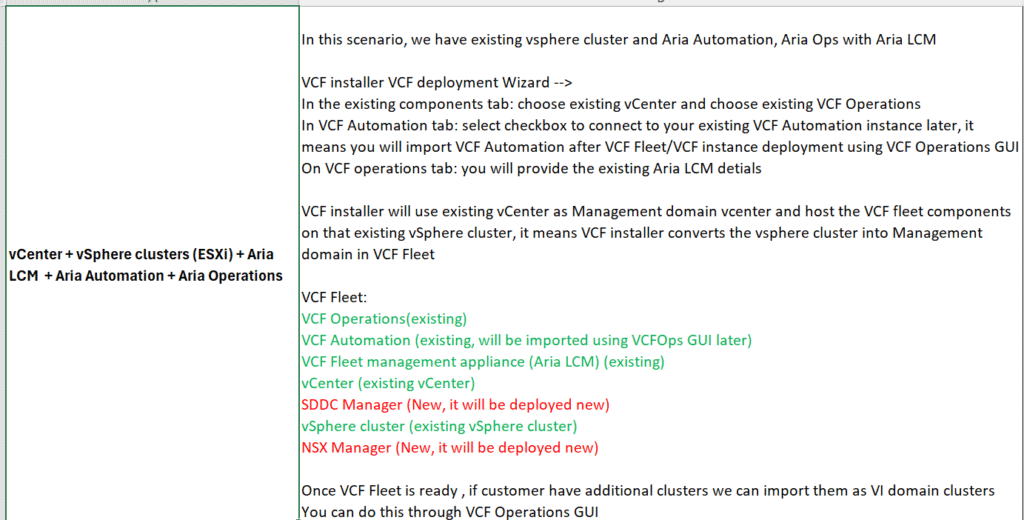
- Converge vCenter Server, ESXi Hosts, VMware Aria Suite Lifecycle, VMware Aria Operations, and VMware Aria Automation
General Upgrade Prerequisites
Before initiating the upgrade, you must ensure that the environment satisfies the software, hardware, and networking prerequisites defined in the VCF 9.0 Bill of Materials (BOM).
Compute and Storage
- A valid VCF 9.0 subscription must be available in the customer’s Broadcom Business Services account.
- The vCenter Server VM must reside on a cluster managed by the same vCenter.
- All clusters must use vSphere Lifecycle Manager (vLCM) images.
- Upgrade vCenter Server to version 9.0.
- Upgrade all ESXi hosts in the target cluster to version 9.0.
- Upgrade the vSAN on-disk format to the supported version.
- Deactivate vCenter High Availability (VCHA).
- Remove vCenter from Enhanced Linked Mode (ELM).
- Set DRS to Fully Automated mode.
- Validate hardware resources and storage capacity using the Planning and Preparation Workbook.
- Ensure datastores are shared, accessible, and writable by all ESXi hosts in the cluster.
Networking
- Deploy vSphere Distributed Switch (VDS) version 8.0 or later.
- Confirm that vCenter Server uses TCP port 443 for client connections.
- Reserve a temporary IP address for vCenter during the migration.
- Configure a dedicated vMotion network.
Component-Specific Convergence Scenarios
Scenario 1: vSphere + ESXi + Aria Operations (without Aria Suite Lifecycle)
- Upgrade Aria Operations to VCF Operations 9.0.
- Ensure all general prerequisites for vSphere and ESXi are satisfied.
Scenario 2: vSphere + ESXi + Aria Operations + Aria Automation (with Aria Suite Lifecycle)
- Upgrade Aria Suite Lifecycle (LCM) to version 8.18 P2.
- Upgrade Aria Operations to VCF Operations 9.0 and it deploys the VCF 9.0 Fleet Management Appliance.
- Ensure all general prerequisites for vSphere and ESXi are met.
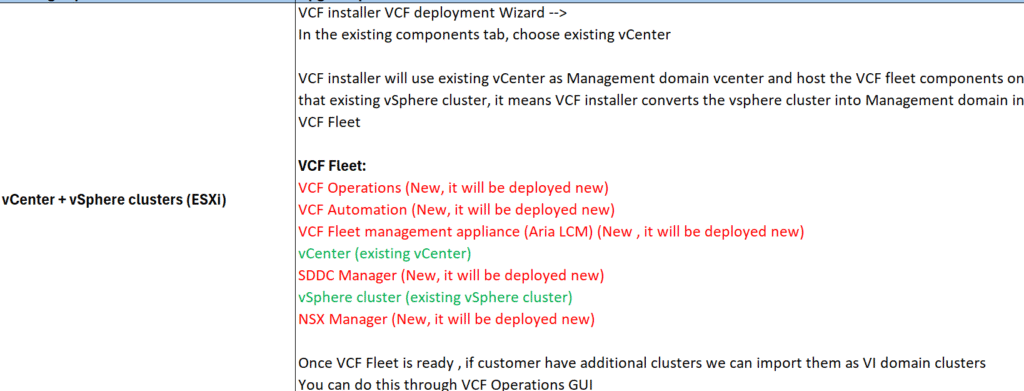
- After deploying the Management Domain in VCF, import Aria Automation into the new VCF Fleet Management instance.
- Use the Import from Legacy Fleet Management option to transition from the existing Aria LCM instance to new VCF Automation 9.0
Here I have outlined how we approach in these different scenarios, explained high level steps for reference.
Summary
Upgrading an existing vSphere environment to VCF 9.0 requires a detailed review of BOM versions, hardware readiness, and component dependencies. Meeting the prerequisites ensures a smooth convergence of existing vSphere cluster resources into a fully integrated VCF platform. The convergence scenarios outlined above provide high level guidance on how to plan for upgrade/convergence.