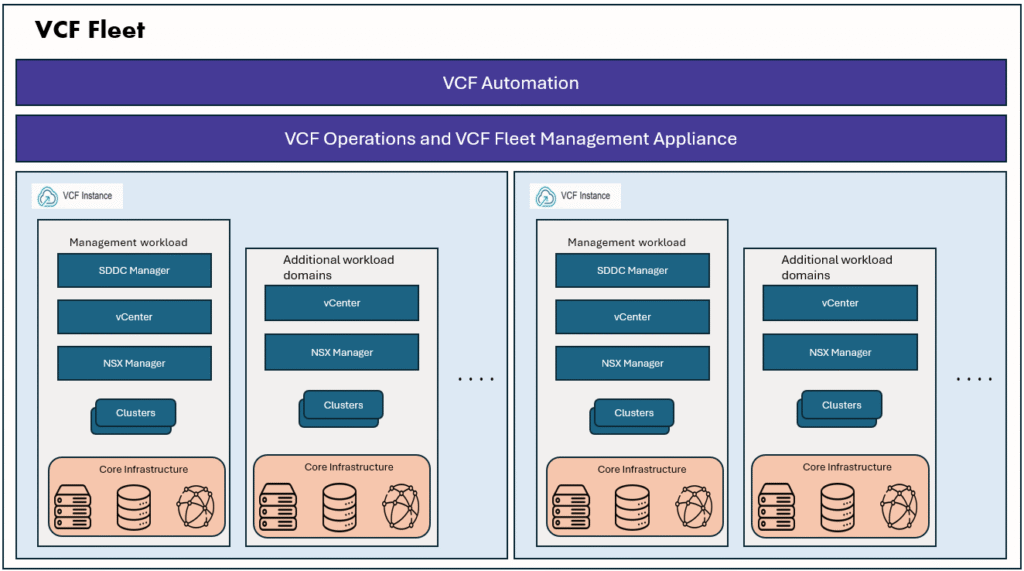
This is part 3 of a 3 part series on VCF Automation.
In this blog, we will discuss about Organization (Tenant) management
In Part 2, we have created provider region, created an Organization called Sample_Org, assigned region quotas, configured organization networking.
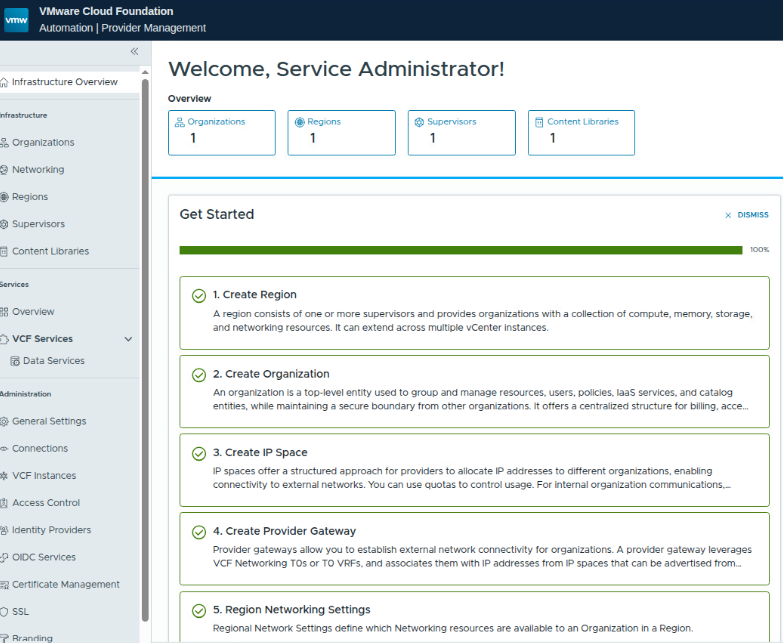
Lets proceed to our organization, then proceed with next steps.

We can login to our organization in two different methods
- Method1 :On the VCF automation login page, select the organization name “Sample_Org”, login as organization first user “firstadmin” (it is local user) or any other organization admin user. Choose Login with LDAP account or Login with local account based on the user type.
- Method2: You login VCF Automation system organization (Provider management portal), select your organization then click on “launch organization portal.”
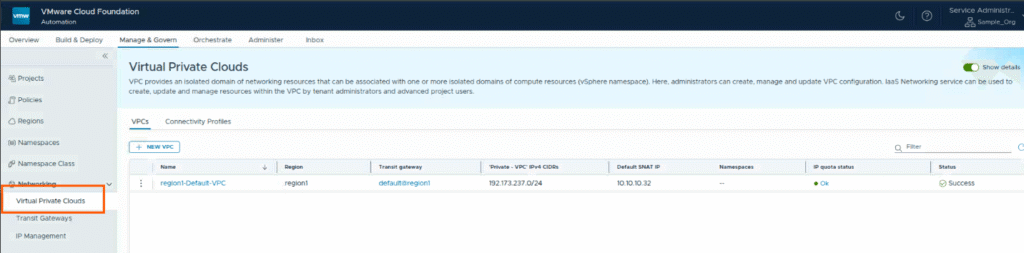
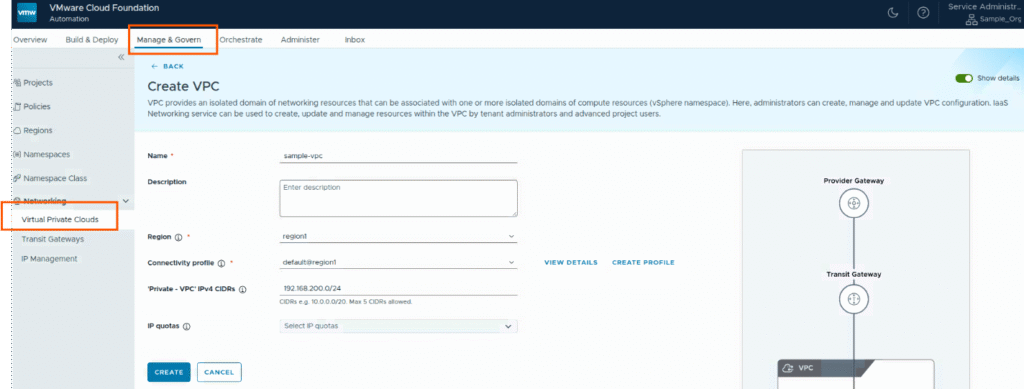
Organization VPC
There will be default VPC, we leave it as it is, we will create a new VPC. I logged in using Method2 here.
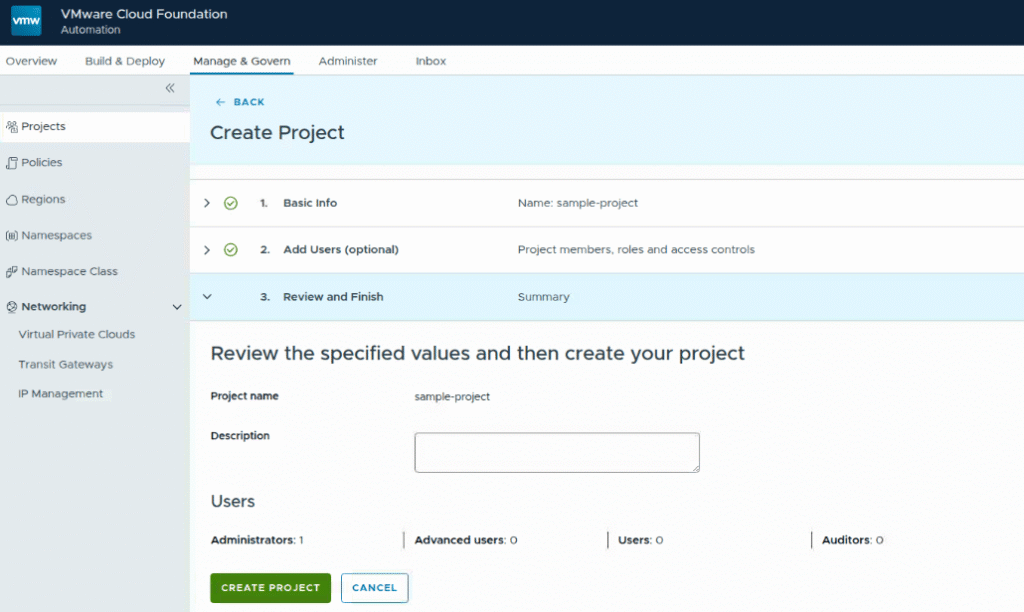
Create Project
I logged in to the organization management portal using Method1. Logged in as organization administrator user “firstadmin” which was created at the time of creating organization.
Go to Manage & Govern, projects, click on “New” to create new project.
provide the basic details like name of the project, add users to this project, I have added firstadmin user as project administrator to this project.
So firstadmin user is both organization administrator and also project administrator for the project sample-project.
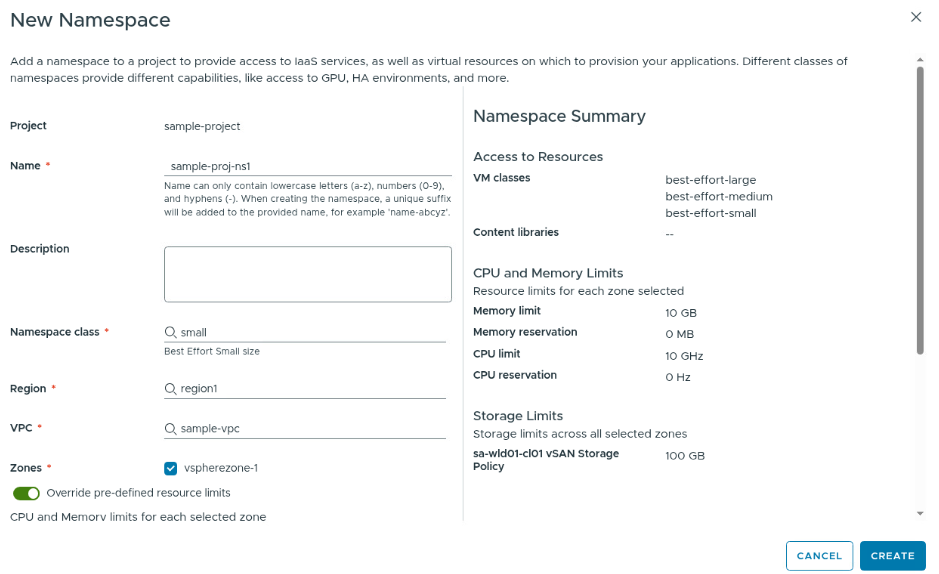
Create a namespace
- We will add a namespace to our sample-project, namespace provide access to IaaS services, as well as virtual resources on which to provision your applications.
- Different classes of namespaces provide different capabilities, like access to GPU, HA environments, and more
Go to the project, click on namespaces tab, click on “New namespace” to create a namespace for the project.
Select a namespace class, Region, VPC, zone, and resource limits if required.
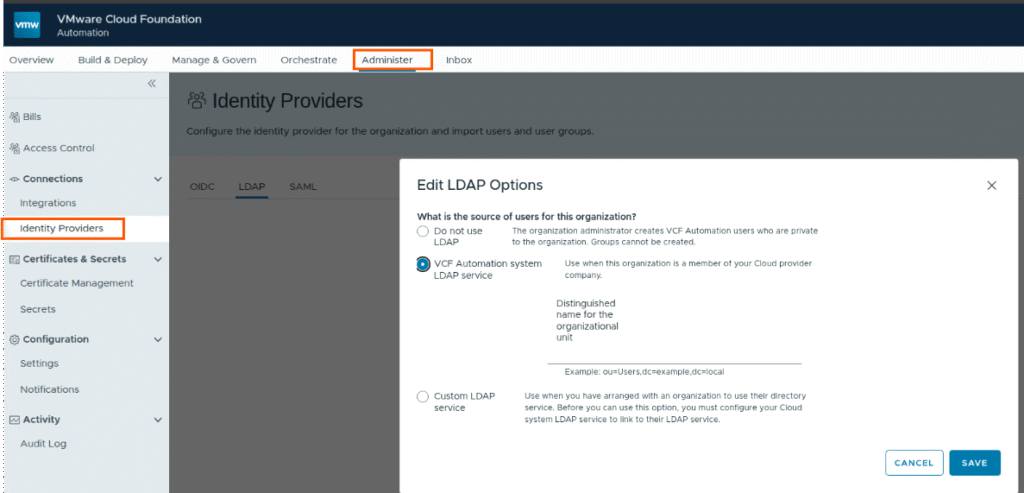
User Management
At Provider level, we have configured LDAP already, we will use the same LDAP here for this organization.
In the Administer tab, click on Identity providers, select LDAP and select VCF Automation system LDAP
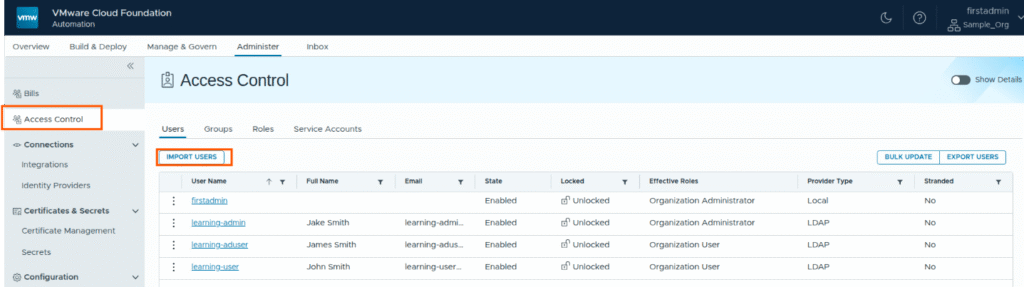
Then go to Access control section, import users into the organization level.
Assign organization level roles like organization administrator, organization user roles.
Now Assign project roels to these users.
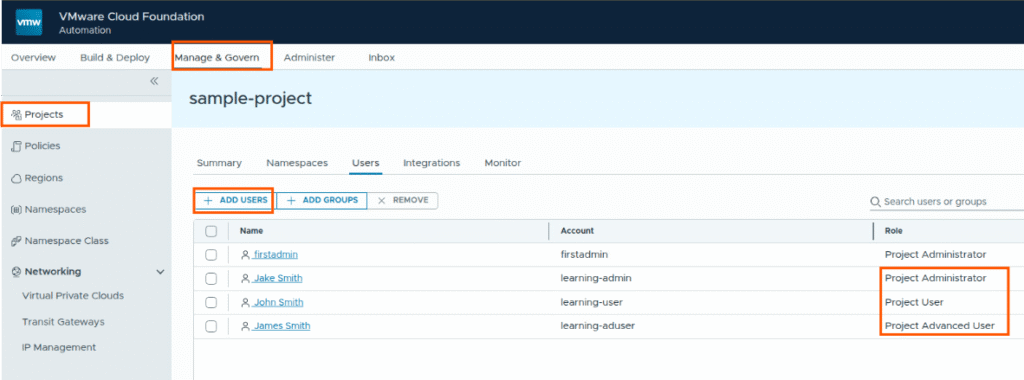
Difference between project admin, project advanced user and project user are discussed in another blog. Please read it here.
Local Content Library
Now we will create a organization specific content library which is local to this organization, it can be shared acorss the projects with in this project.
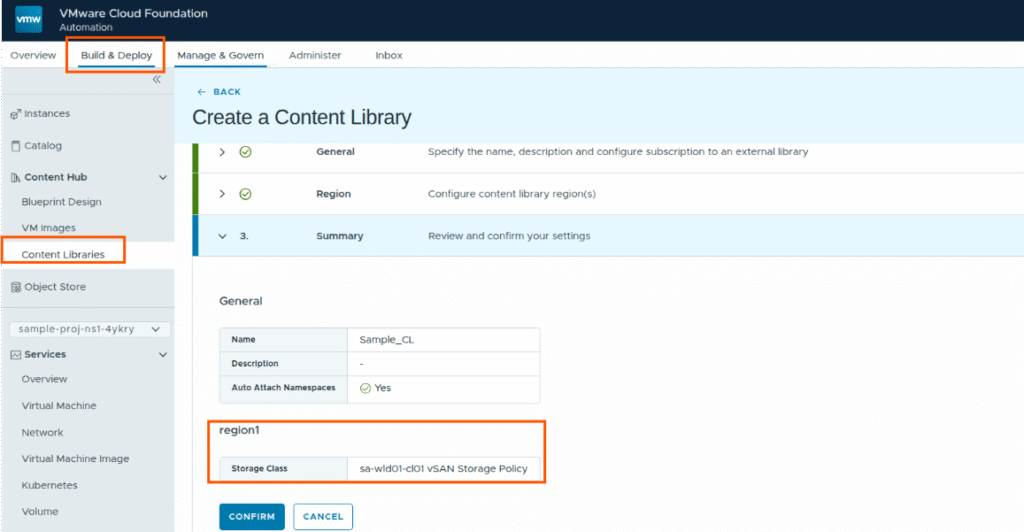
Content hub
Now we can create a blueprint and publish it, or we upload a OVA/OVF image files and publish them to Catalog.
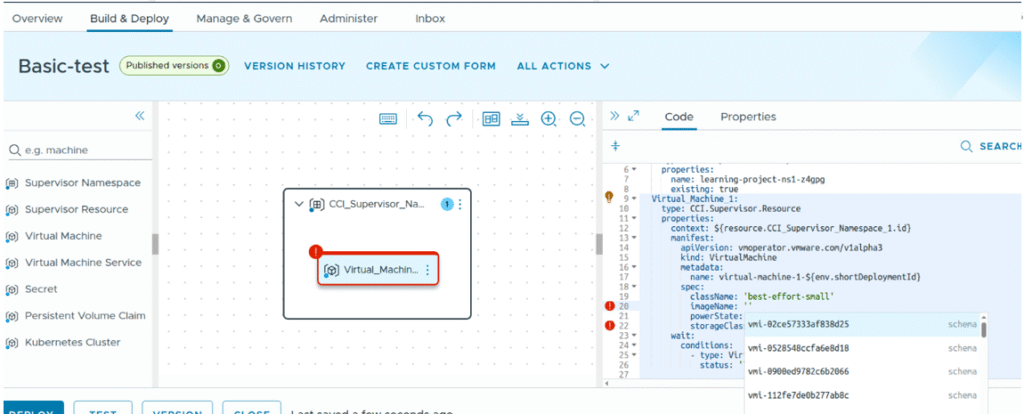
Lets create a basic blue print and publish it.
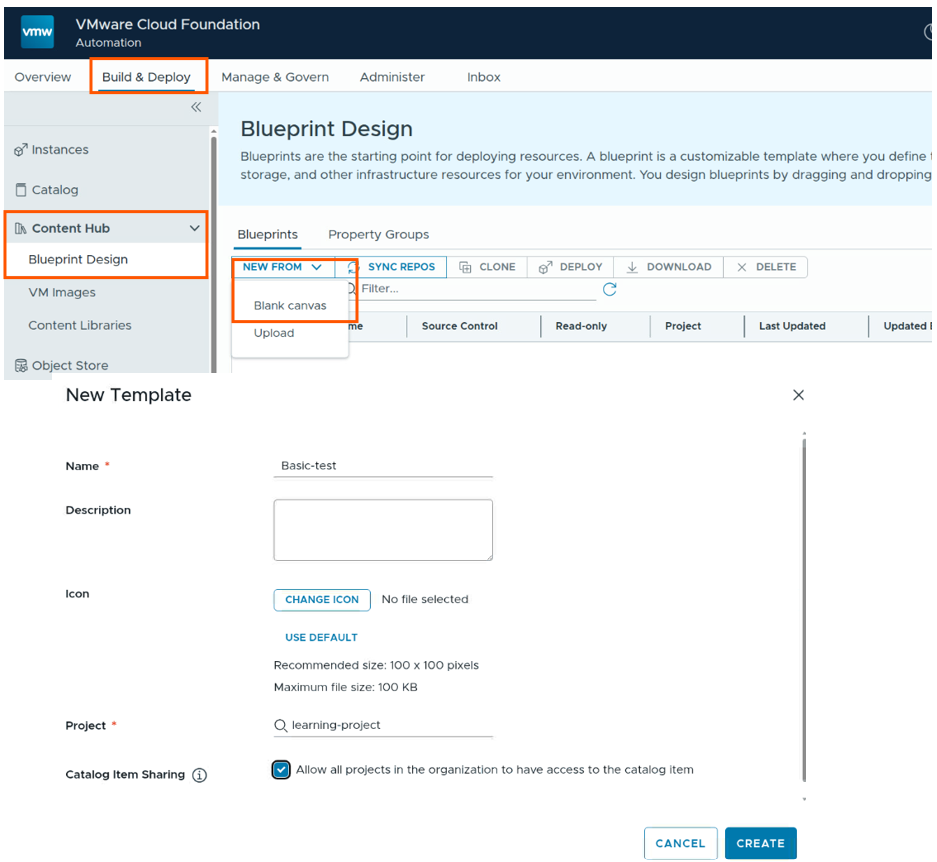
Create the blank canvas, and drag the virtual machine object to canvas page. and provide the VM properties, namespace properties.
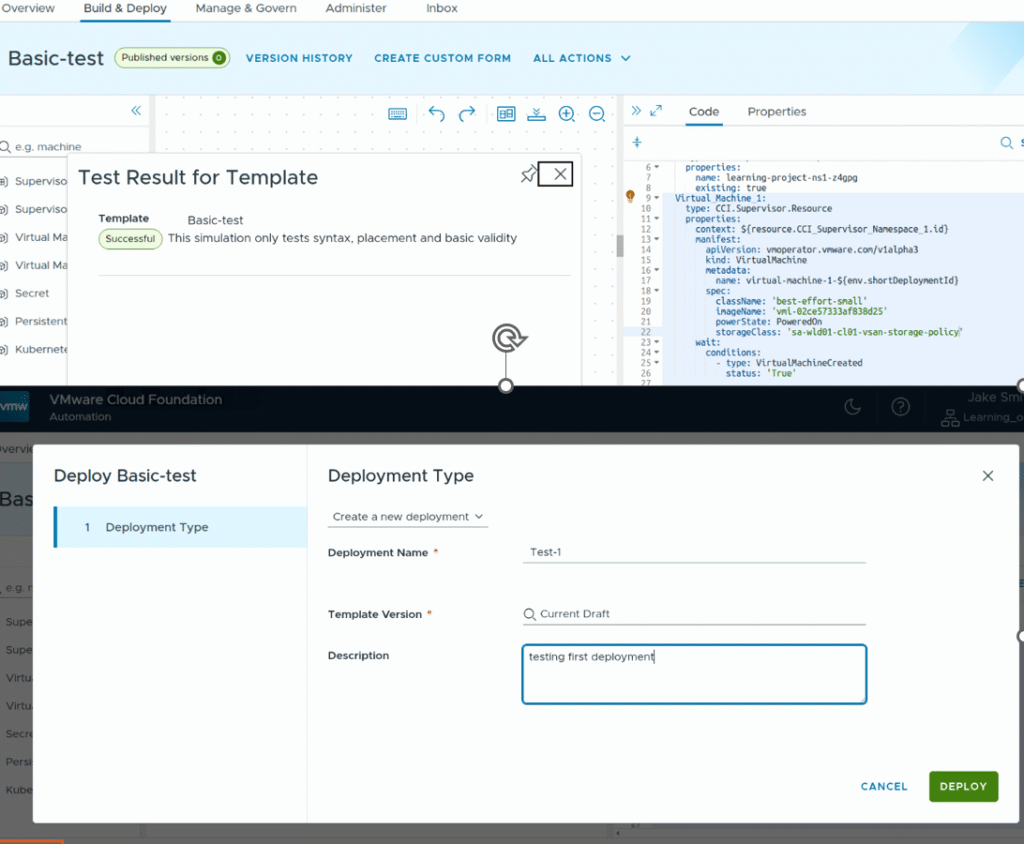
Once done, you can test this blueprint template, once test successful, you can do a deployment.
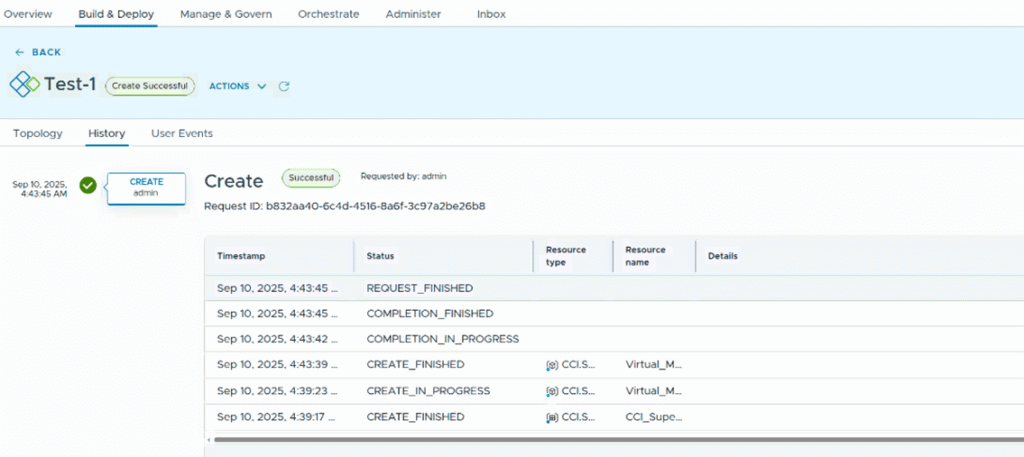
Now you can version this template and publish it to catalog.
I will try to write a new blog about publishing content to catalog, and how end users can request VMs/VKS clusters using catalog items or IaaS console.
Please refer this organization (Tenant) management journey map from broadcom documentation. It is very useful for customers starting with their first tenant setup.
Thank you for reading !