In this blog, we will install Velero on a VMware Kubernetes Service (VKS) cluster and validate its backup and restore functionality. While there is already an excellent blog by Cormac Hogan covering Velero on VKS, the goal of this post is to walk through a hands-on implementation and independently verify Velero backup and restore behavior in a VKS environment.
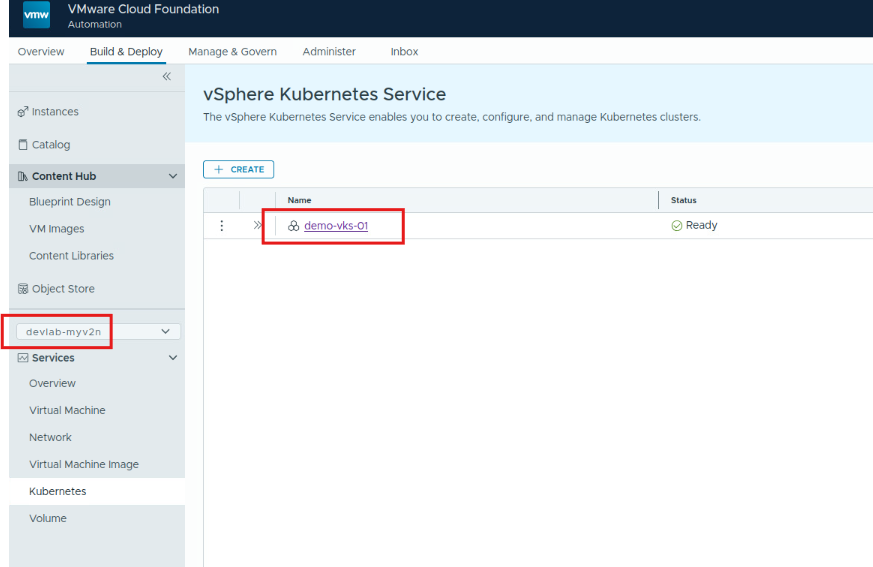
For this lab I have a VCF environment with supervisor services enabled on a workload domain, VCF Automation tenant organization and a namespace (devlab) is configured. In this organization, there is an existing VKS cluster demo-vks-01 created and ready to be used. VCF CLI is already installed. If you want to install VCF CLI and understand VCF CLI contexts, please refer Broadcom documentation.
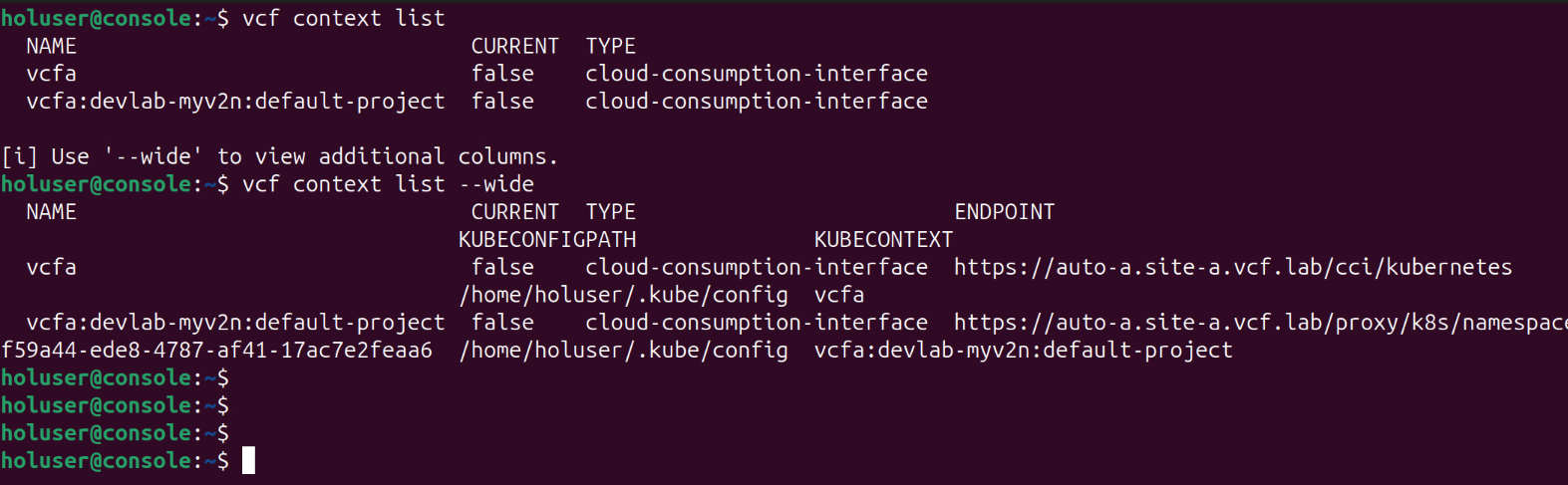
I checked VCF CLI is already installed locally, and it is working. Let’s check the context list and create context for our VKS cluster demo-vks-01. Here we see that there is no context for the vks cluster. We see two contexts, one is for VCF Automation and second is for devlab namespace created in the default project in VCF Automation organization. We also can see the KUBECONFIGPATH which is /home/holuser/.kube/config.
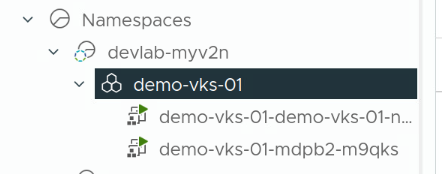
We created our VKS cluster “demo-vks-01” inside the devlab-myv2n namespace in default project. So first we will switch the context to vcfa:devlab-myv2n:default-project
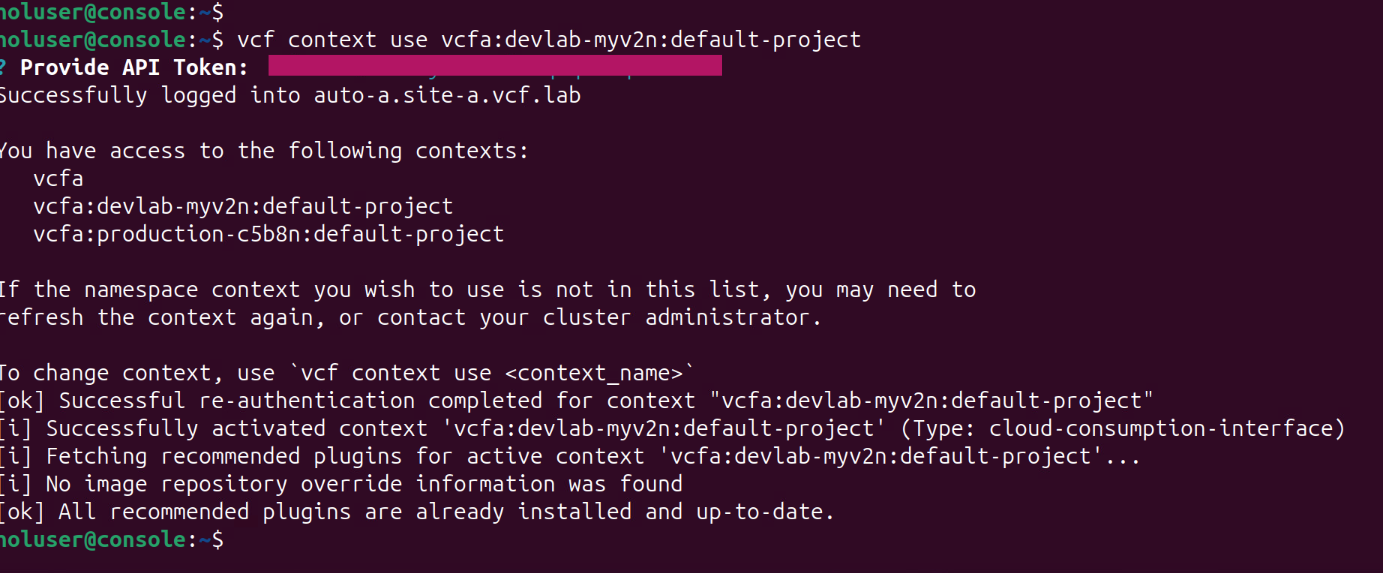
Now we can see our VKS kubernetes cluster.


Now we need to switch to the kubernetes (VKS) cluster context, for that we need to get the name of the context for our demo-vks-01 cluster.
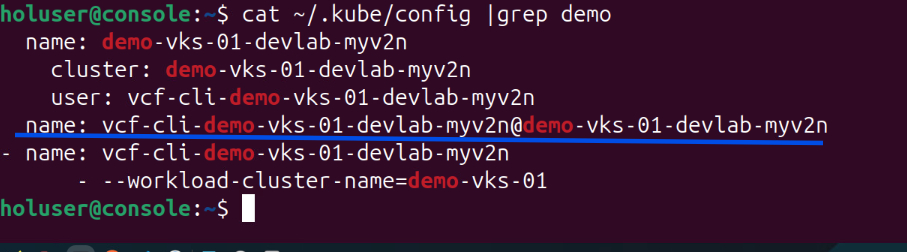
Then we use below command to create context for VKS cluster.
vcf context create <name of vks cluster> --kubeconfig <path for kube config file> --kubecontext <kube context name we found from previous output>
Now we can switch to VKS cluster context and use kubectl commands just like in any kubernetes cluster.
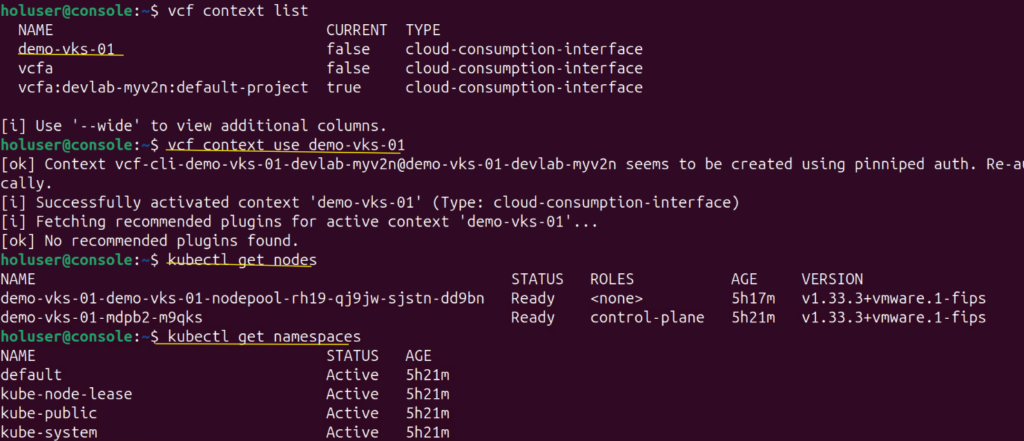
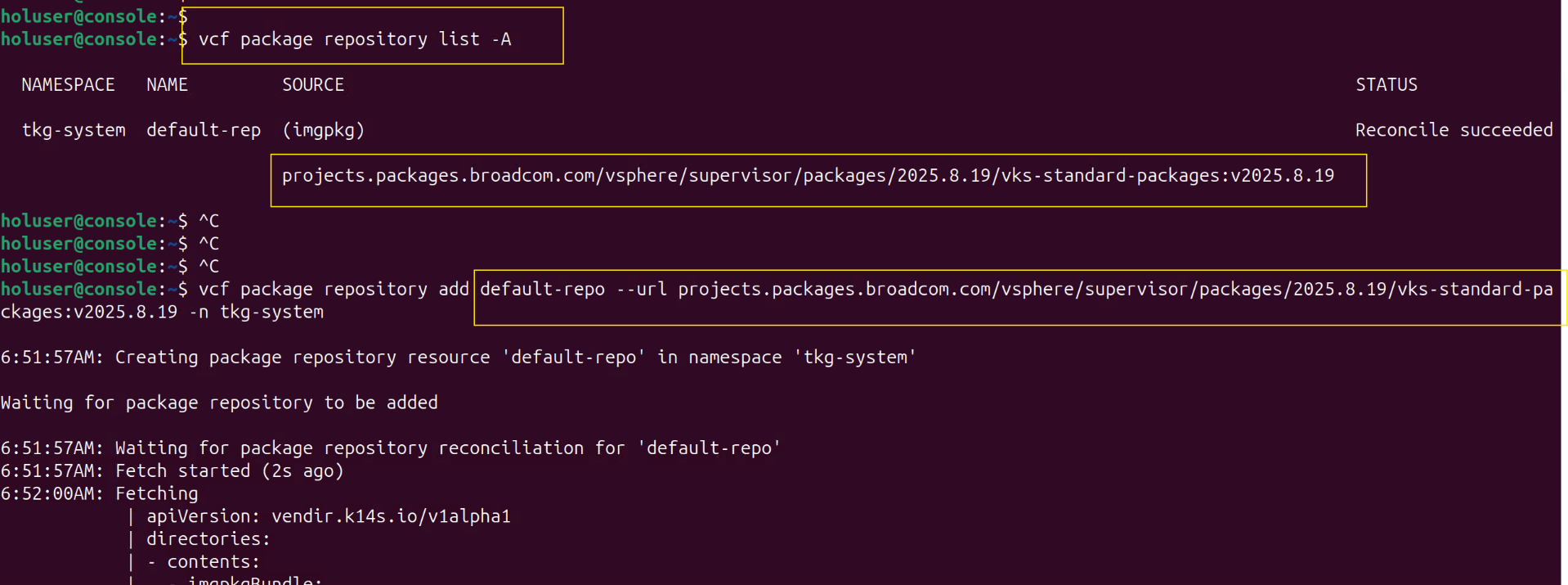
Then we need to install Velero operator/package in this cluster. For this purpose, we will need to check the package repositories available. We have listed and found that default repository where we have access to vks-standard packages.
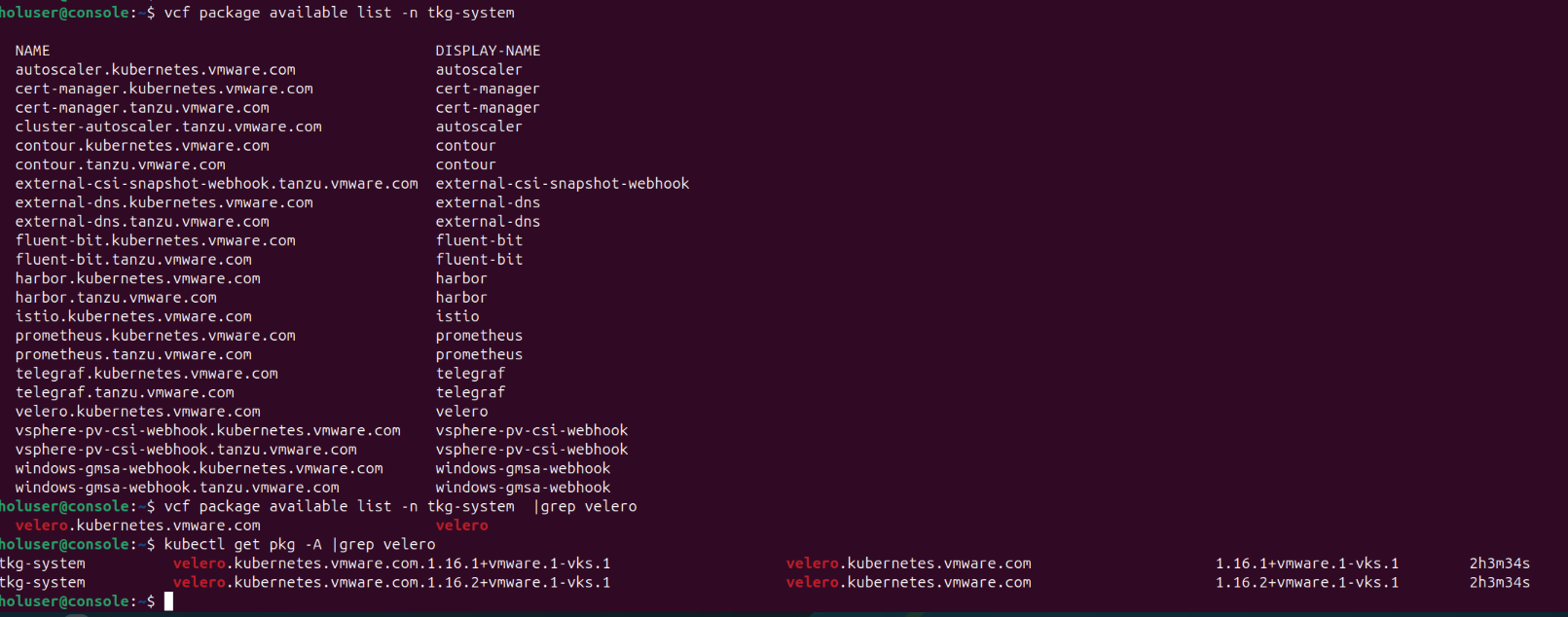
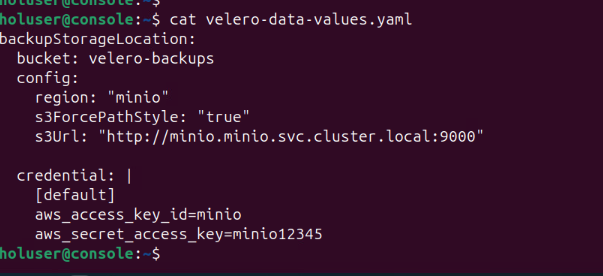
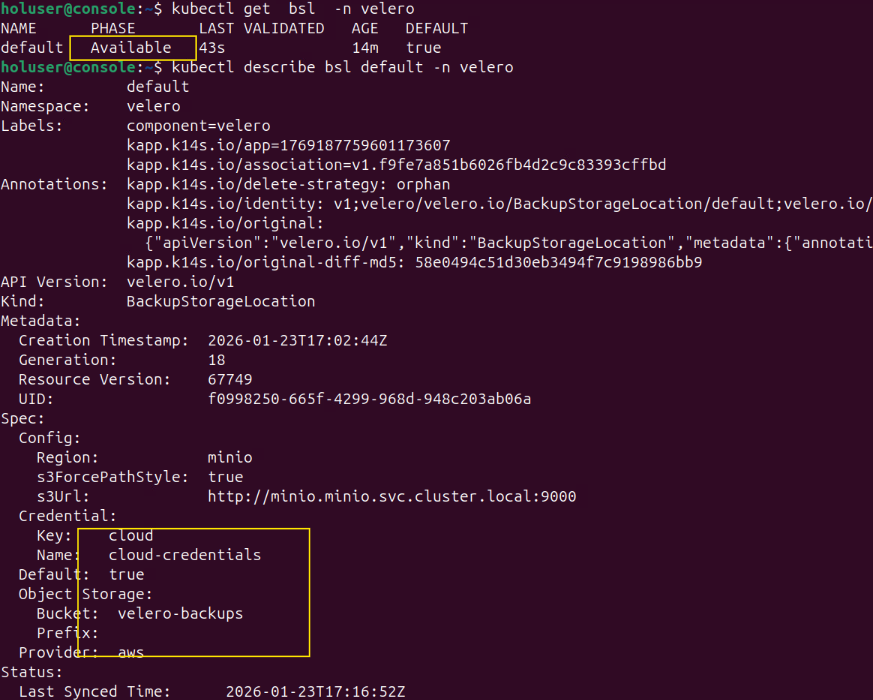
we can install the Velero package on this VKS cluster with data values file “velero-data-values.yaml”. In this data values file, I have given the bucket name I created in the minIO object storage and provided the credentials to access minIO storage server.
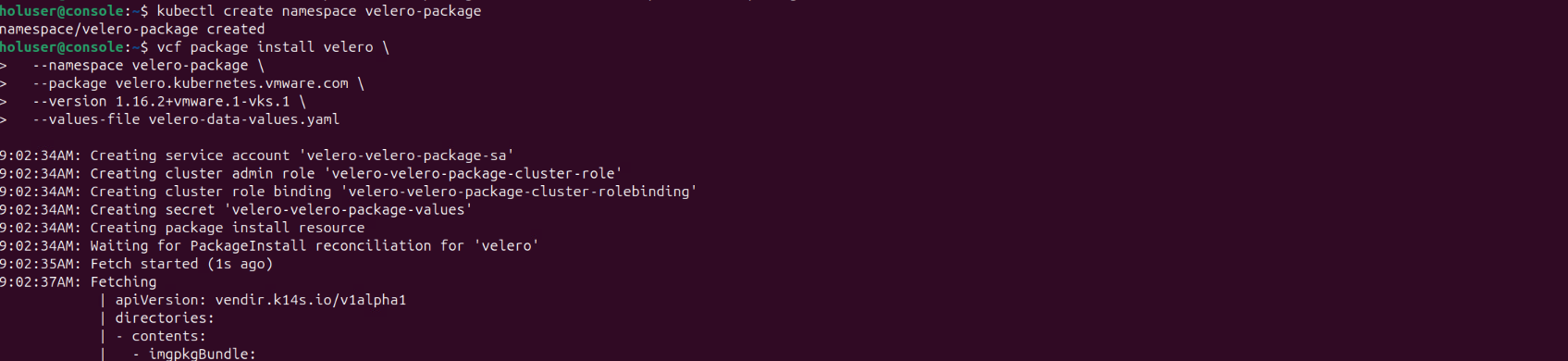
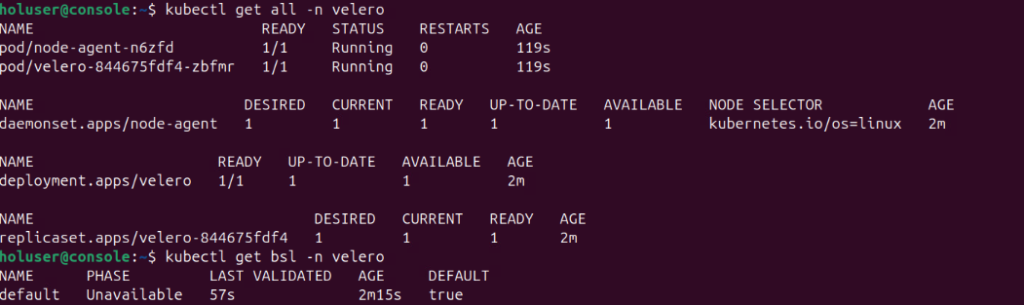
we can see the velero package installation completed successful and then I verified velero backup storage location status. It was showing Unavailable for few seconds but it updated correctly.
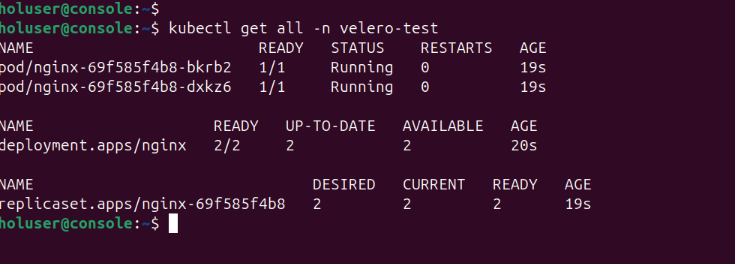
Now I have created a test namespace called velero-test and deployed a simple nginx app. I will back up this namespace and restore it.
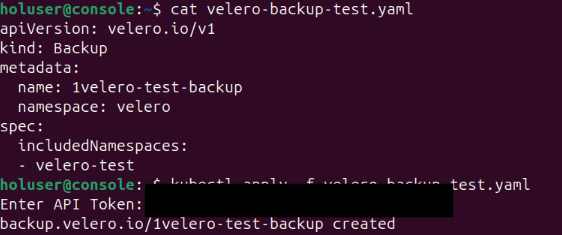
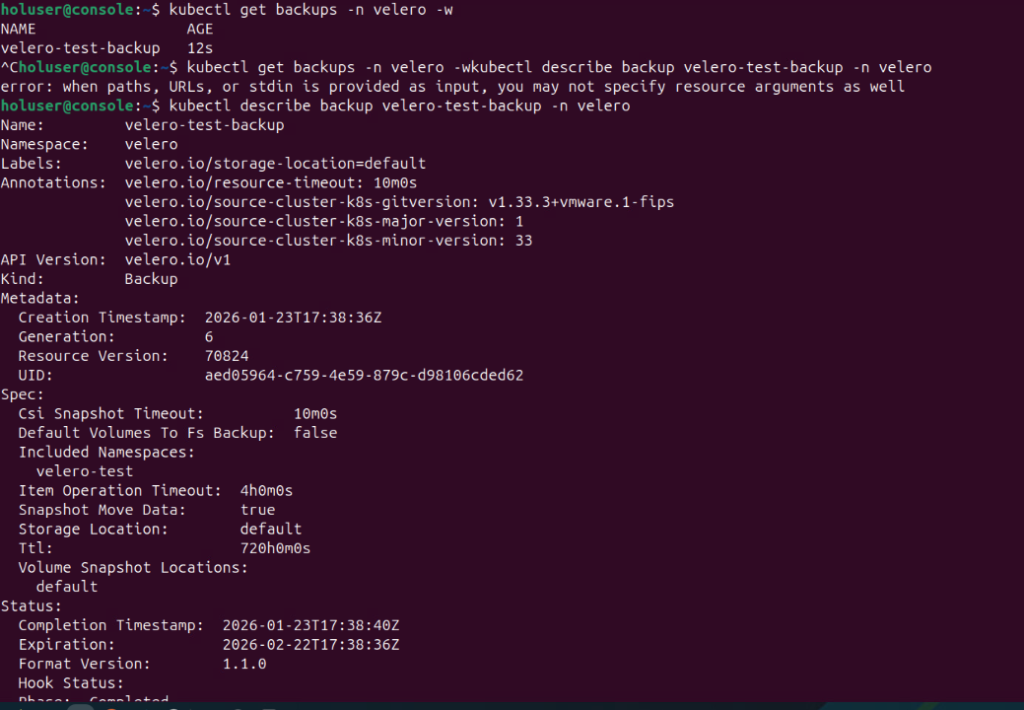
I created a backup CR and applied it to initiate the backup. Backup has been completed.
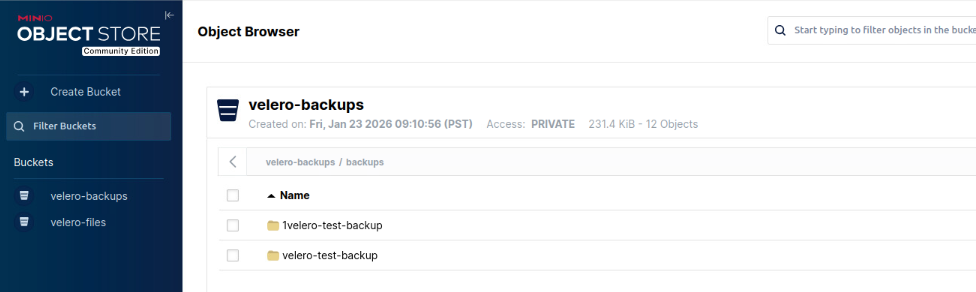
In minIO server, we can see the backup files.
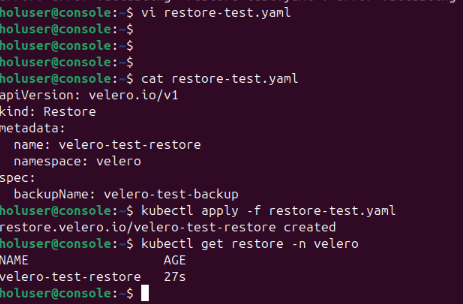
Now let’s try to delete the namespace and test restore function.

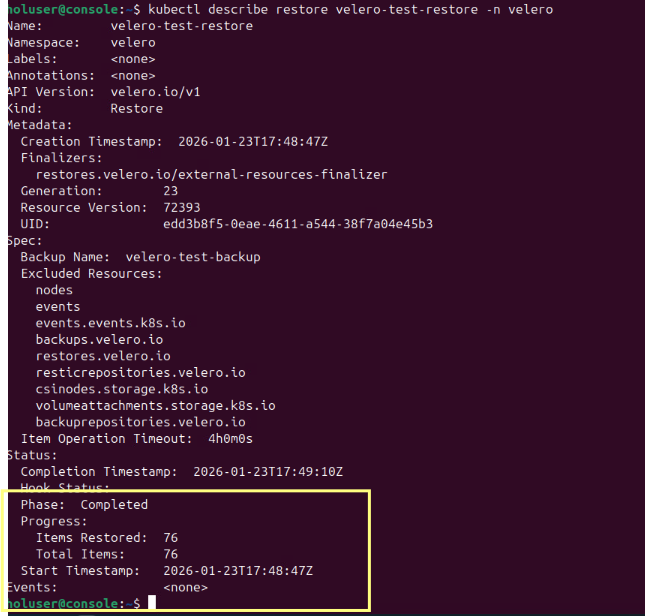
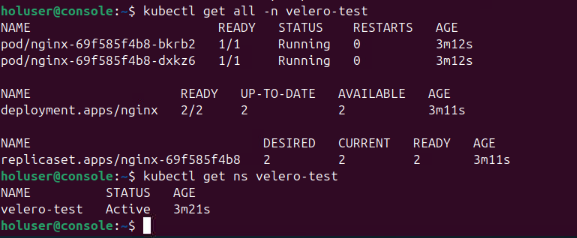
At this stage, have successfully tested the backup and restore functionality of Velero.
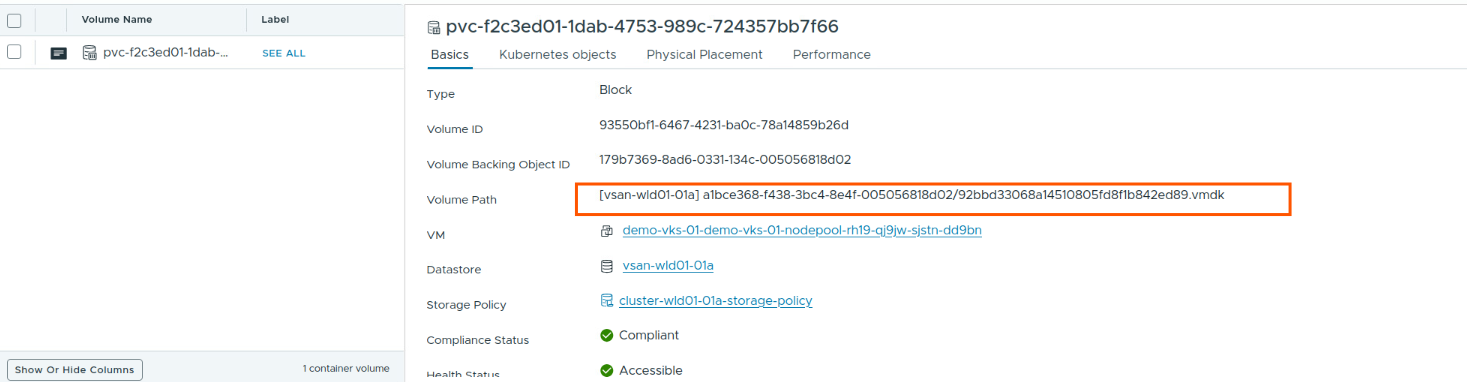
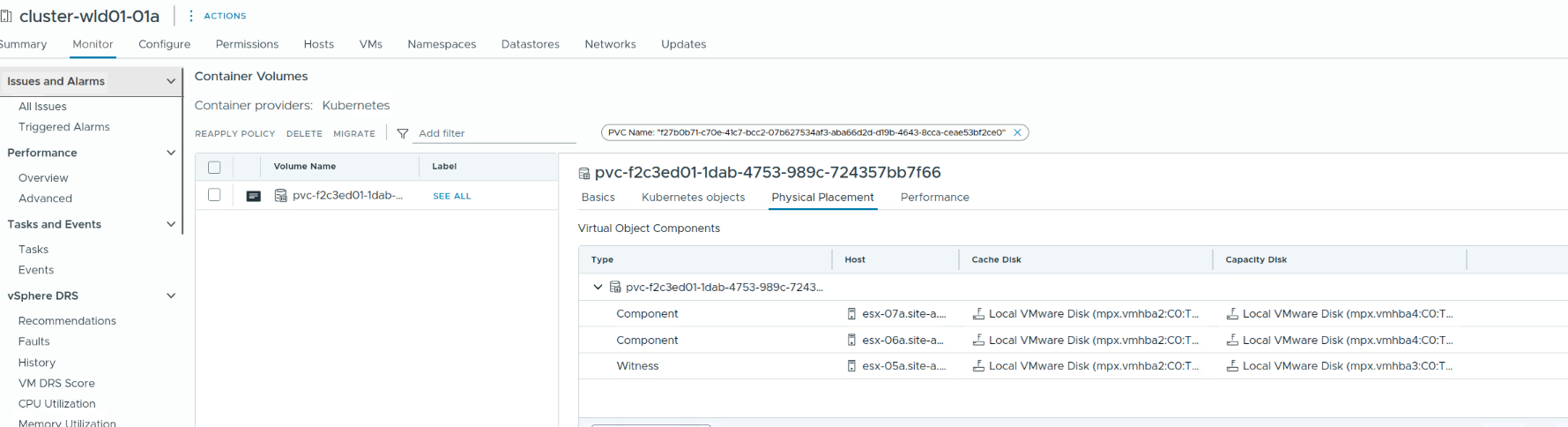
Now, I just wanted to verify, where these backup files are actually stored? I created a pvc using vsan storage policy as storage class, then it created the pv.
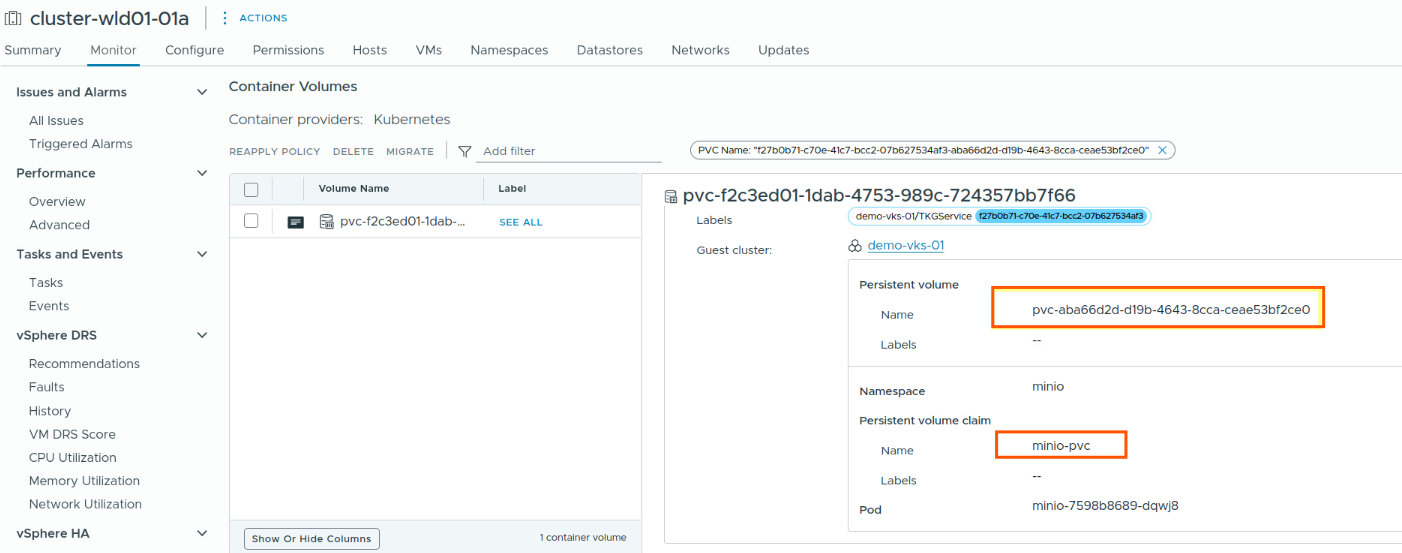
When we create a bucket in MinIO, and Velero is backup files are stored in the bucket, and this bucket is actually backed by VSAN datastore.
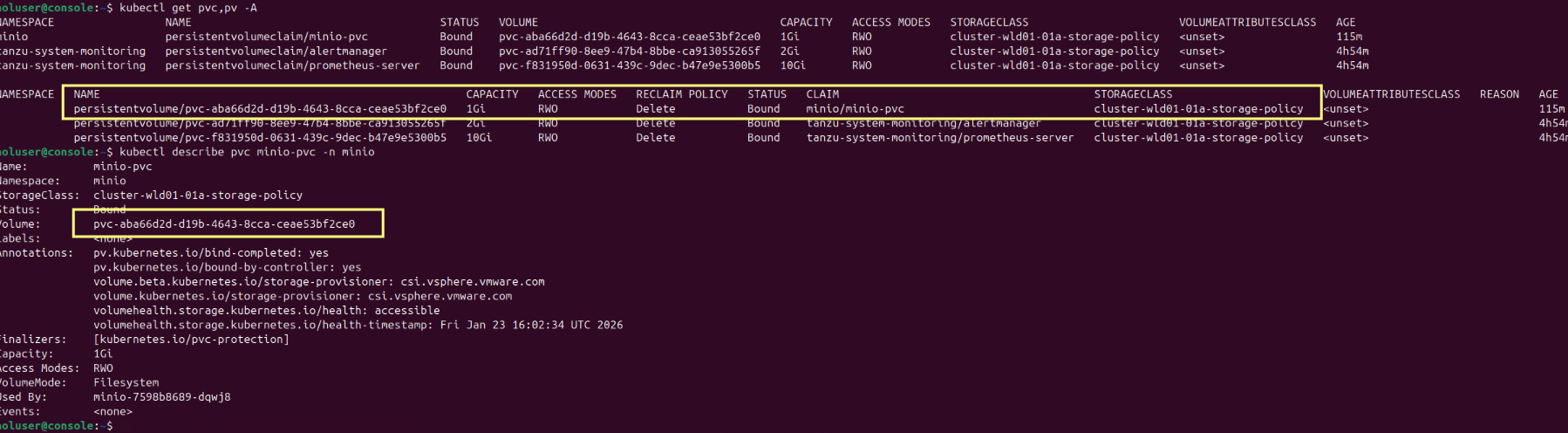
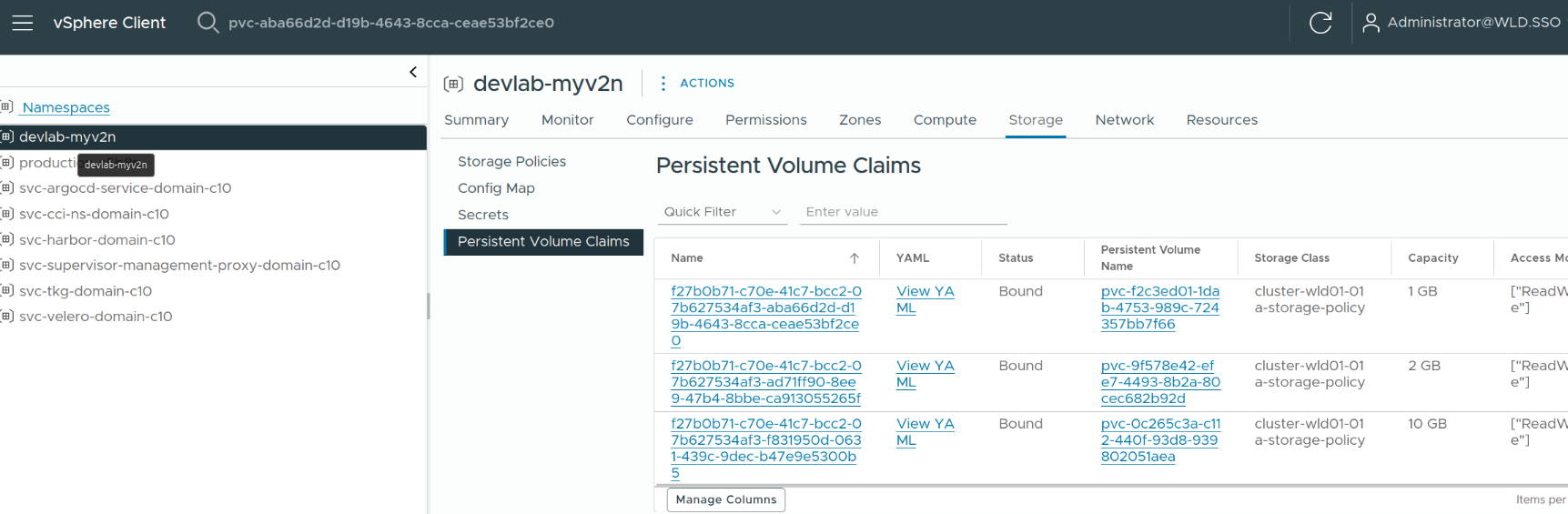
Go to vCenter –> Supervisor Management –> Storage tab –> PVC
Here, dont get confused by the PVC name, I have a minio-pvc with 1GB storage, I clicked on it.
Thats it for today’s blog, Thank you for reading.