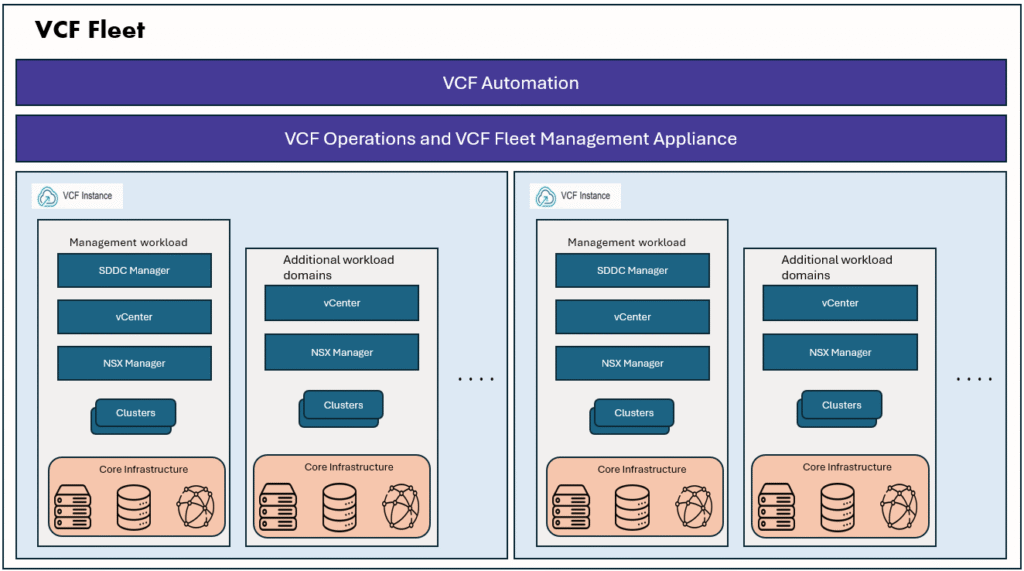
In this blog post, we will explore SDDC Manager APIs and learn how to use the Postman client to call these APIs and retrieve information from a VMware Cloud Foundation (VCF) environment.
Every action we perform in the VCF Operations UI or SDDC Manager UI—whether it’s viewing clusters, checking hosts, or managing domains—triggers an underlying API call in the background. By understanding these APIs directly, we gain better visibility into how VCF works, can automate repetitive tasks, and troubleshoot more effectively.
Postman Client
We all know Postman is a popular API client that makes it simple to test, and explore APIs without writing code. It provides an intuitive interface where you can quickly send requests, view responses, and organize various API endpoints into manageable collections.
With built-in support for authentication, variables, and scripting, Postman allows even beginners to get started easily—just import an API specification or enter an endpoint, and you’re ready to test. This ease of use makes it a perfect tool for exploring and working with VMware Cloud Foundation (VCF) APIs.
Get the API specification
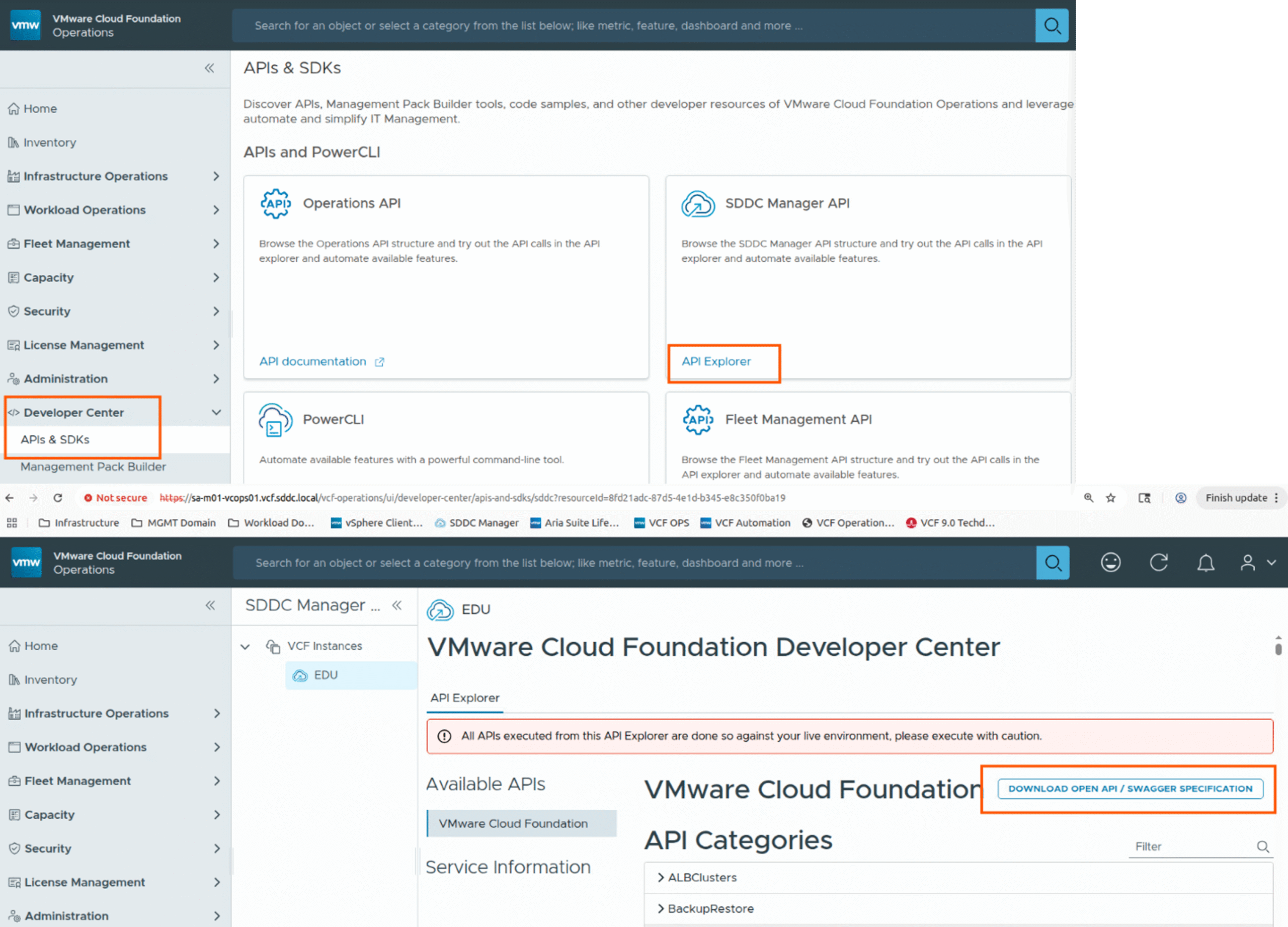
Login VCF operations UI as admin user, and navigate to Developer center tab on left side menu. Click on SDDC Manager Manager API – API Explorer button, click on Download open api specification button. It will download a json file, we will use this in next step.
Postman client Setup
1. Download postman based on your OS and install it. Installation is simple and straight forward.
If you need assistance please refer the installation steps on postman documentation
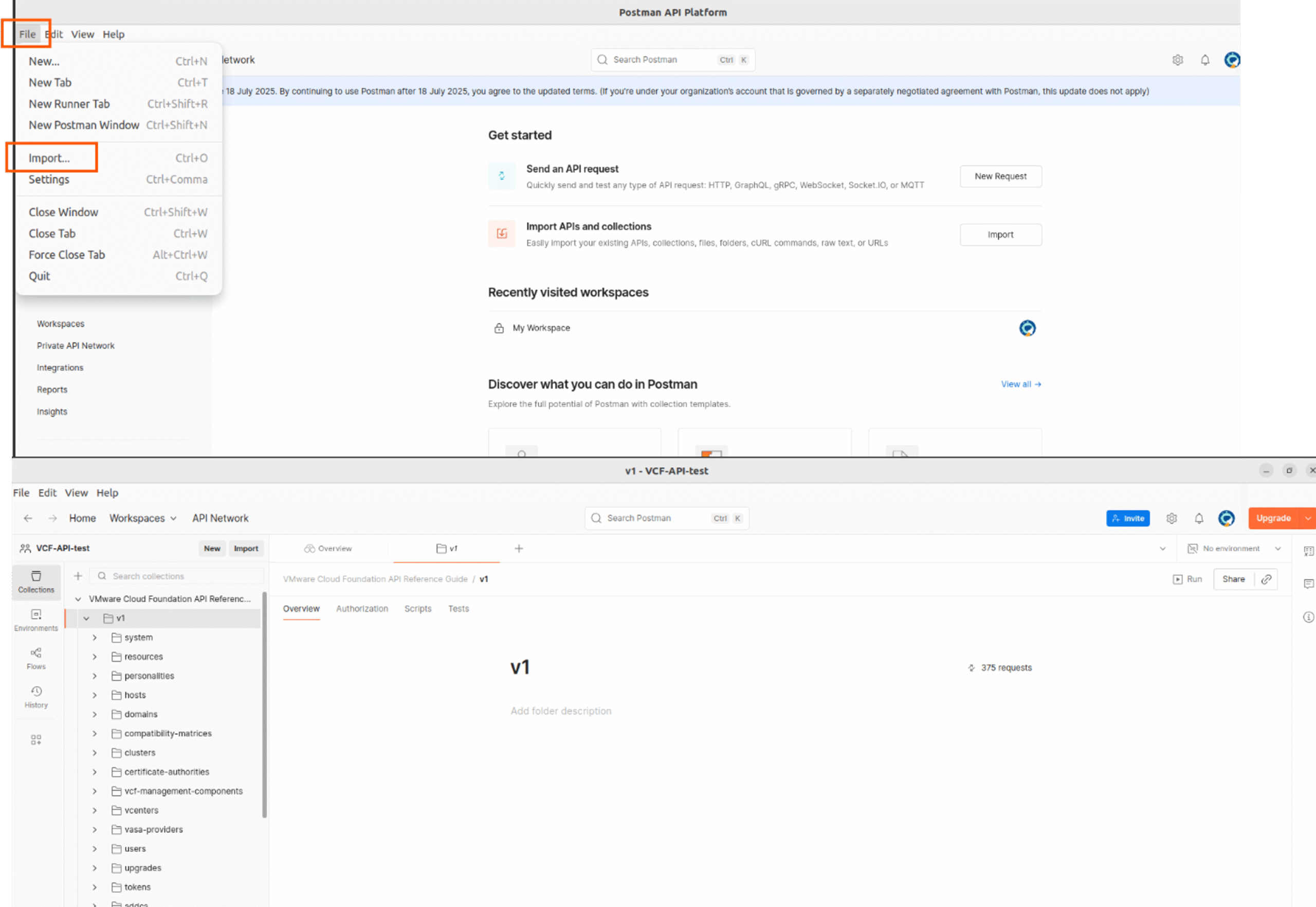
2. Next, Open Postman, Click File → Import, Select the API specification json file you downloaded from VCF operations developer center.
Postman will automatically create a collection in the default workspace (or we can create a workspace, In this case I created a workspace named vcf-api-test) with all the API endpoints.
you can see all the VCF API endpoints list here.
3. Next we will setup the Base URL and Basic authentication then generate the token.
Base URL –> sddc manager FQDN
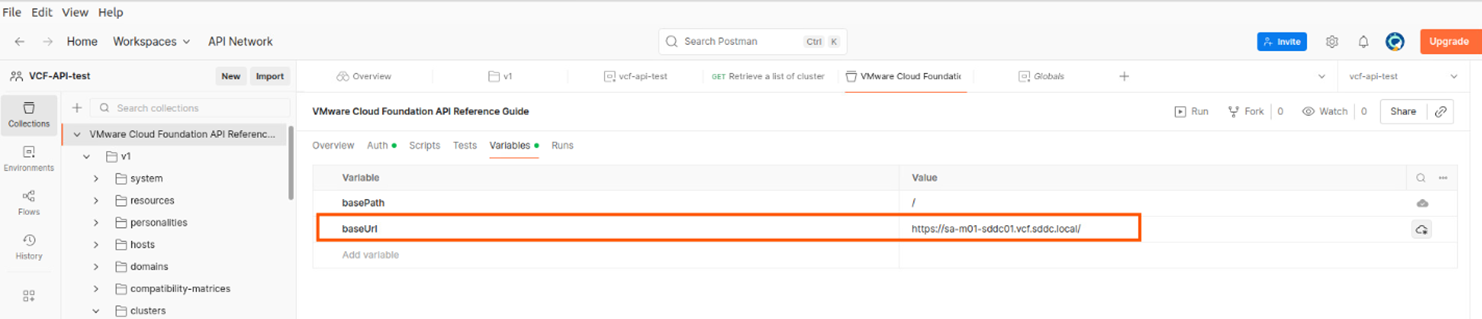
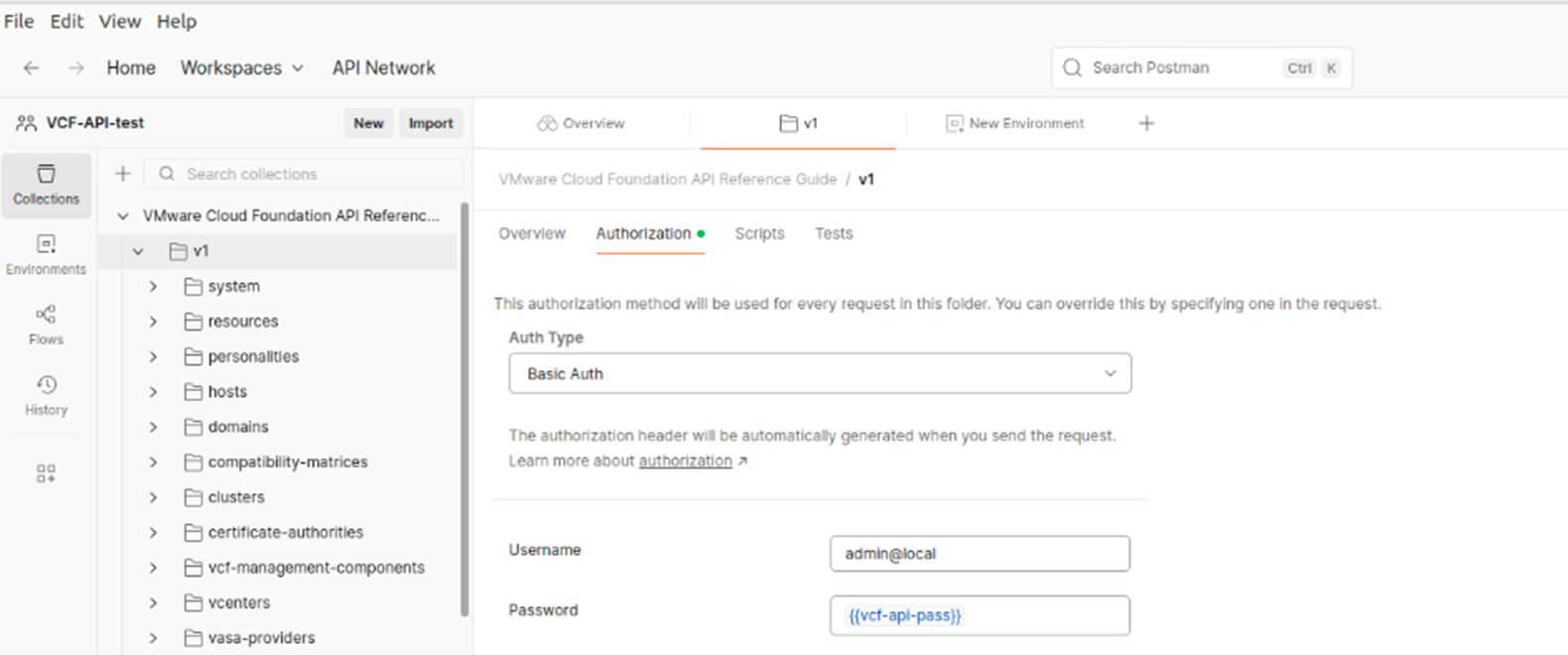
For authentication, I have saved the password in a environment variable I have used that variable while specifying the basic Auth details, see screenshot below.
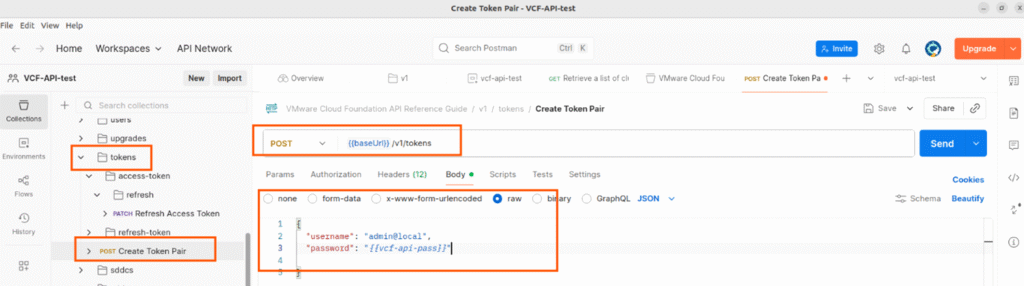
Generate the API token and save it in an environment variable.
Below API call generates a token, save that as environment variable.
4. Now we are ready to test VCF APIs from postman API client.
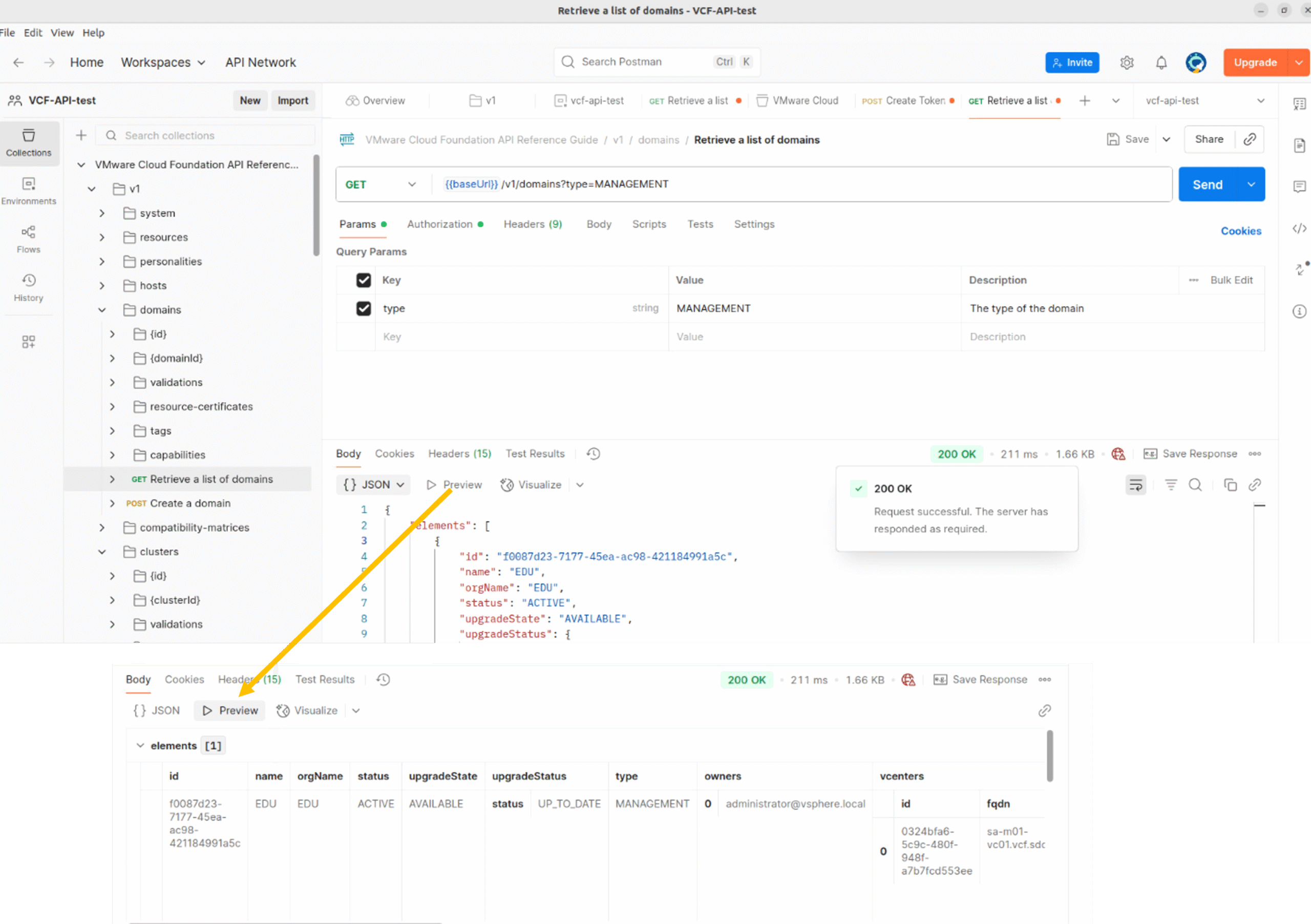
Lets try to get the domains, if you want to get MANAGEMENT domain, go to Params tab, edit it as per your requirements.
Supported Domain type options MANAGEMENT, VI, VDI.
If you want to list all domain types you can unselect all boxes in Params section. In below example, I am getting MANAGAMENT domains only.
Note: Make sure you have setup authentication to bearer token, you can set this in the Authentication tab, you can also set the authentication type at collection level or you can set it manually before running each API.
Once params and authentication are correctly set, then you click on Send button.
In the Body section, you will be able to see the output.
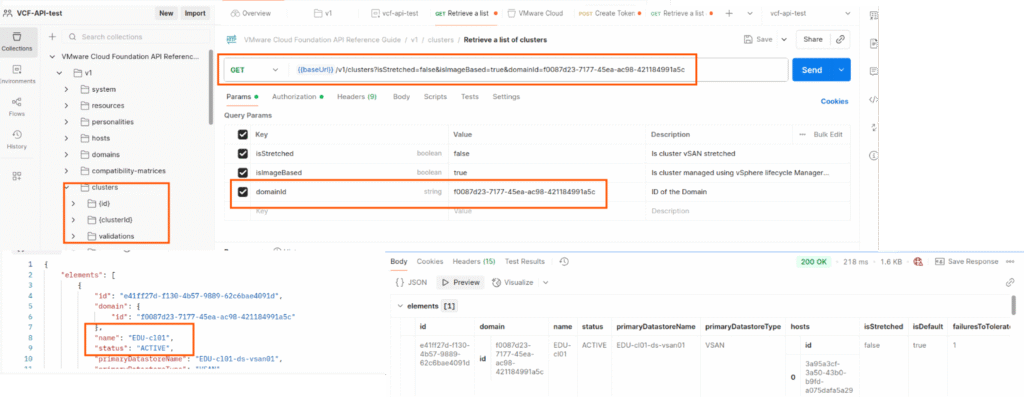
5. Lets get the clusters using API
Again in params section, if you un-select everything it will list all clusters.
If you specify a domain ID, it will get the clusters belong to that particular workload domain only.
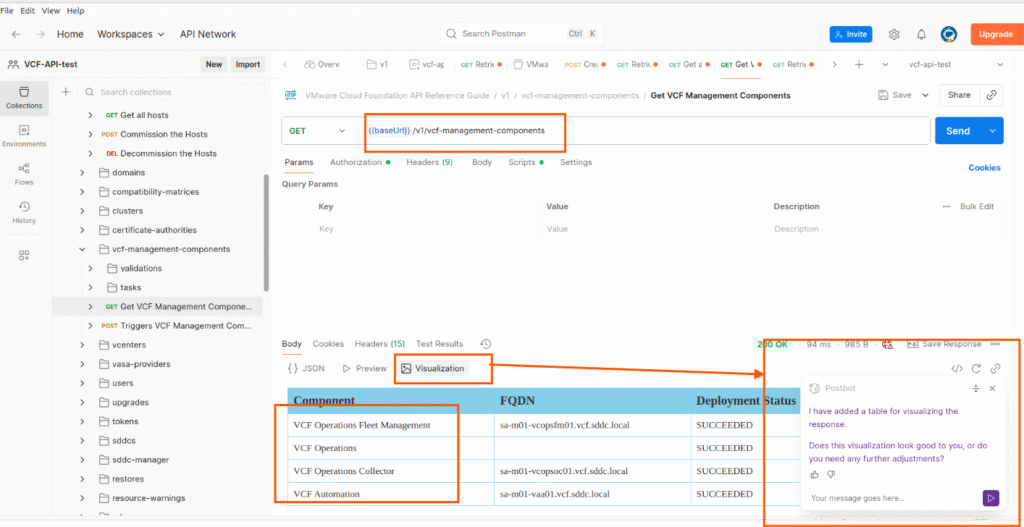
6. Get the VCF Management components using API
Here I have used visualization feature in postman and visualized the output in a table format, Postbot will run a script to visualize this output as table format.
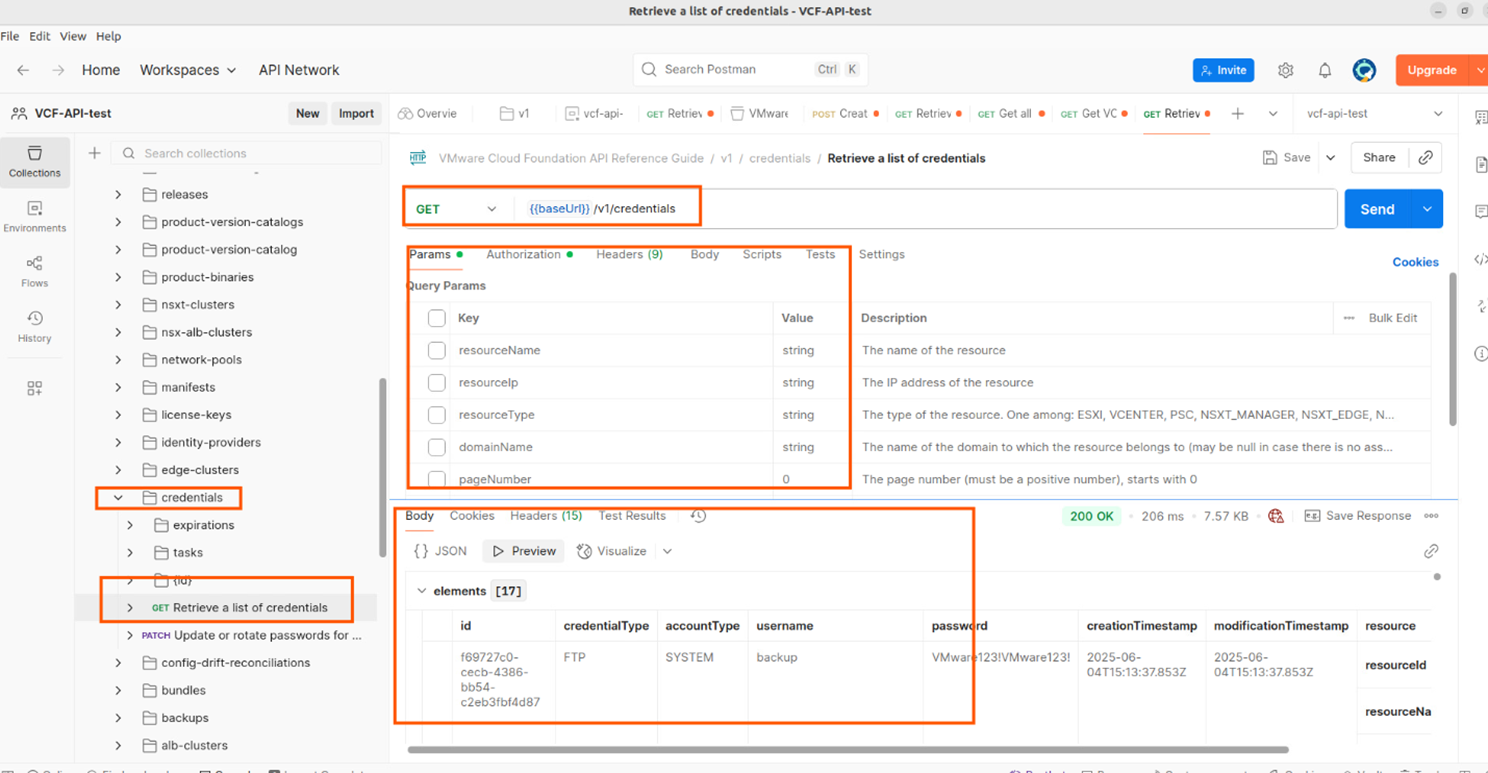
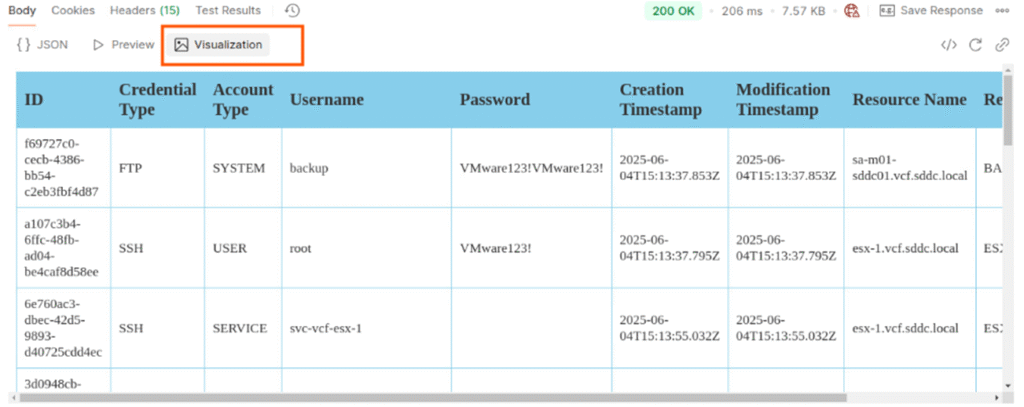
7. In VCF environment, there will be lot of components vCenters, ESXi hosts, NSX managers, VCF automation, VCF operations etc, each component will have one or more user types. There is an API to get all the user credentials, this can be handy if we forgot the passwords.
Using this API, we can retrieve all credentials or we can retrieve a specific credential type by adjusting the parameters section, in below screenshot I have retrieved all credentials and visualized it as table.
With this we have come to end of this blog, as explained above we can use postman API client for exploring VCF APIs without writing any code, it is easy and straight forward.
There a quick demo of using vSphere automation API, if interested please watch it here For more detailed explanation on API client and open API specification please read the VMware blog here
Thank you for reading!.